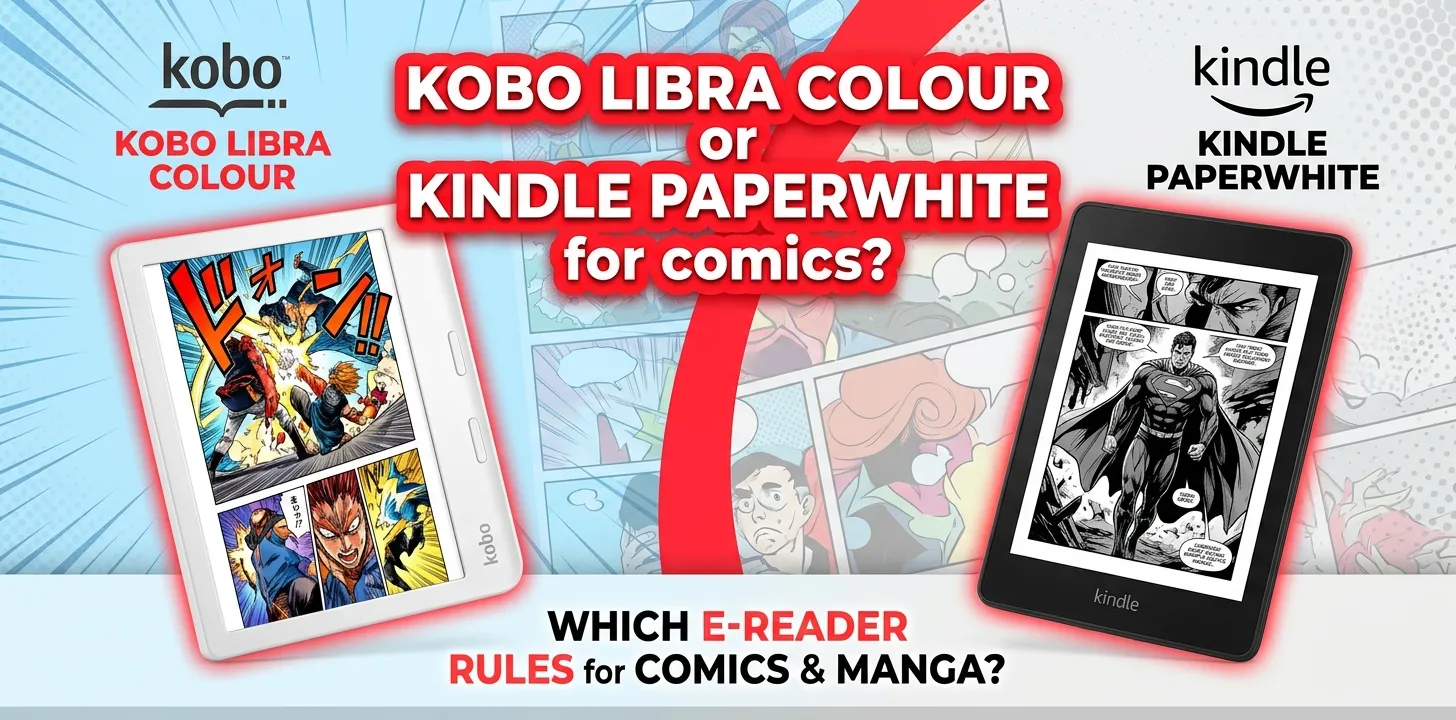
Kobo Libra Colour or Kindle Paperwhite for comics?

If comics are a major reason you are buying an e-reader, the Kobo Libra Colour is the better choice. Its 7-inch color E Ink display can show comic artwork in color, and it natively supports formats such as CBZ and CBR. The Kindle Paperwhite has a sharper-feeling monochrome display for regular text, but it cannot display comic artwork in color.
The important catch is that neither device is a perfect replacement for a tablet. A 7-inch e-reader is comfortable for portability and long reading sessions, but detailed comic pages can still feel cramped compared with a larger screen.
At a glance
| Feature | Kobo Libra Colour | Kindle Paperwhite 12th Gen |
|---|---|---|
| Screen | 7-inch color E Ink | 7-inch black-and-white E Ink |
| Color comics | Yes | No |
| Black-and-white manga | Very good | Excellent |
| Comic formats | CBZ, CBR, EPUB, PDF and more | More dependent on Kindle-supported formats/conversion |
| Storage | 32GB | 16GB |
| Page-turn buttons | Yes | No |
| Waterproofing | Yes | Yes |
| Warm light | Yes | Yes |
| Best for | Comics, graphic novels, manga, sideloading | Amazon Kindle library and mostly text |
| Current US MSRP | $259.99 | Varies by configuration and sales |
Kobo currently lists the Libra Colour with a 7-inch Kaleido 3 color E Ink screen, 32GB of storage, page-turn buttons, and stylus compatibility. Amazon identifies the 2024 Paperwhite 12th generation as a 7-inch-class waterproof Kindle with 16GB of storage, adjustable warm light, and up to 12 weeks of battery life.
Why the Kobo Libra Colour is better for comics
The biggest difference is simple: color.
The Libra Colour uses a color E Ink display, so a comic that was designed with colored artwork can actually show those colors. Kobo also specifically notes that its color screen does not add color to black-and-white pages; it only displays color when the original content contains it.
That distinction matters because “color e-reader” does not mean every comic suddenly becomes colorful.
If you read a modern full-color graphic novel, superhero comic, children’s comic, or illustrated book, the Libra Colour can make the pages much more enjoyable than a monochrome Paperwhite.
Independent testing has also found the Libra Colour well suited to comics and graphic novels, although its E Ink colors are softer and less vivid than those on a phone, tablet, or OLED display.
Color E Ink has a trade-off
Don’t expect iPad-like color.
The Kaleido 3 display uses a color layer over an E Ink screen. Colors look muted compared with an LCD or OLED tablet, and the screen can have a slightly grainier appearance. That’s a normal limitation of current color E Ink technology rather than something unique to your particular unit.
So the choice is really:
- Kobo: softer color, but you get actual color.
- Paperwhite: cleaner monochrome reading, but no color.
For comics, the first option usually makes more sense.
What about manga?
Manga changes the comparison.
A large amount of manga is traditionally published in black and white. If that is almost everything you read, the Paperwhite becomes much more competitive.
Its monochrome E Ink screen is designed around sharp black text and images. You don’t gain much from the Libra Colour’s color capability when the original manga is black and white.
For example, imagine you mainly read Japanese manga volumes and only occasionally read a color graphic novel. The Paperwhite can be the more sensible choice because you would spend most of your time looking at monochrome pages.
But if you read both manga and color comics, the Libra Colour gives you greater flexibility.
Comic file support is a major Kobo advantage
This is one of the most important differences for people who already have their own digital comic collection.
Kobo officially lists CBZ and CBR among its supported file formats, along with EPUB, PDF, JPEG, PNG, and several others.
That makes the Libra Colour particularly attractive if your comics come from legitimate DRM-free sources or you already have compatible files that you want to transfer to an e-reader.
The Paperwhite is more closely tied to Amazon’s Kindle content system. That can be a major advantage if most of your comics already come from Amazon, but it can be less convenient if you frequently manage your own collection of different file types.
Why this matters in real life
Suppose you have two types of reading:
Reader A: Almost everything comes from the Kindle Store.
The Paperwhite is easy. Your library, purchases, and reading history stay inside the Amazon ecosystem.
Reader B: You have DRM-free EPUBs plus legitimate CBZ/CBR comic files from different sources.
The Libra Colour is more appealing because Kobo supports those formats directly.
This is one of the clearest reasons to choose Kobo even if color is not your only concern.
The 7-inch screen is good, but comics still have limits
Both devices are around 7 inches, which is a useful size for portability. But comic pages are different from normal books.
A novel can reflow its text to fit a small display. A comic page often has a fixed layout with several panels, speech bubbles, and small lettering.
That means a full comic page can sometimes make dialogue harder to read without zooming.
For a standard comic page, you may find yourself choosing between:
- Seeing the whole page at once
- Zooming in to read small text
- Rotating or adjusting the view
- Moving around the page panel by panel
This is why a 7-inch e-reader should be viewed as a portable comic reader, not a perfect large-format comic display.
If you primarily read detailed PDFs or full-page graphic novels, a larger e-reader or tablet may make more sense.
Kobo’s page-turn buttons are surprisingly useful
The Libra Colour has physical page-turn buttons on its side, while the Paperwhite uses its touchscreen for page navigation. Kobo lists the Libra Colour’s ergonomic design and page-turn buttons as core features.
For comics, buttons can be useful because you can hold the device by its side grip and turn pages without moving your thumb onto the screen.
This is especially handy when:
- Reading one-handed
- Reading in bed
- Holding the reader on a commute
- Reading for long periods
- Switching between portrait and landscape orientations
It’s not a feature that makes comics look better, but it can make the physical reading experience more comfortable.
Paperwhite still wins for plain reading
The Kindle Paperwhite shouldn’t be dismissed just because it lacks color.
If your reading is mostly:
- Novels
- Text-heavy nonfiction
- Memoirs
- Books from Amazon
- Black-and-white manga
the Paperwhite remains a very strong option.
Amazon’s current 12th-generation Paperwhite has adjustable warm lighting, IPX8 waterproofing, USB-C charging, dark mode, 16GB of storage, and a battery rated for up to 12 weeks under Amazon’s stated conditions.
The monochrome screen also avoids the visual compromises associated with a color E Ink layer.
So if comics are only an occasional extra, you don’t necessarily need the Libra Colour.
Which has the better screen for comics?
Kobo Libra Colour wins for color comics.
Kindle Paperwhite wins for a pure black-and-white reading experience.
The distinction is more important than a simple “which screen is sharper?” comparison.
The Paperwhite has no way to reproduce the original colors of a color comic. The Libra Colour can reproduce color, but those colors are more subdued than they would be on a conventional tablet.
For a full-color comic reader, that trade-off generally favors Kobo.
Kobo Libra Colour vs. Kindle Paperwhite for different readers
| Your reading habits | Better choice |
|---|---|
| Mostly color comics | Kobo Libra Colour |
| Color graphic novels | Kobo Libra Colour |
| Comics in CBZ/CBR | Kobo Libra Colour |
| Mostly black-and-white manga | Kindle Paperwhite |
| Mostly regular books | Kindle Paperwhite |
| Large Amazon Kindle library | Kindle Paperwhite |
| Want physical page buttons | Kobo Libra Colour |
| Want 32GB storage | Kobo Libra Colour |
| Want the simplest Kindle ecosystem | Kindle Paperwhite |
| Read a mixture of comics and EPUBs | Kobo Libra Colour |
What about comic availability?
The device is only half of the equation. The other half is where you get your comics.
Amazon and Kobo both have digital reading ecosystems, but the catalogs and editions available to you can differ. Kobo’s US store includes a dedicated comics, graphic novels, and manga category, while its e-readers also support a broad range of file formats.
If you already own a large Kindle collection, switching to Kobo simply because it has a color screen may not be worth the hassle.
Likewise, if most of your comics come from sources that provide compatible DRM-free files, Kobo becomes much more attractive.
Check the exact editions you want before buying the device. Content compatibility can matter more than hardware specifications.
Is the Kobo Libra Colour worth the higher price for comics?
For someone who reads comics regularly, the answer can be yes.
Kobo currently lists the Libra Colour at $259.99 in the United States.
You’re paying for more than color. You also get 32GB of storage, physical page-turn buttons, and a more flexible supported-file ecosystem.
But don’t pay the premium if you rarely read visual content.
If your actual use looks like 90% novels and 10% comics, a monochrome Paperwhite may be the better overall purchase.
If your use looks more like 50% comics, 30% manga, and 20% regular books, the Libra Colour makes much more sense.
What about PDFs and graphic novels?
This is where expectations need to stay realistic.
A 7-inch screen is not ideal for every PDF. A document designed for letter-size paper can shrink significantly when displayed on an e-reader.
The Libra Colour does have an advantage when the document contains color because the screen can display color content. Kobo also supports PDF natively.
But if you regularly read technical PDFs, large-format comics, or documents with tiny text, consider a larger-screen device instead.
For normal ebook-style graphic novels and comics, the Libra Colour is much easier to recommend.
Which should you buy?
Choose the Kobo Libra Colour if comics are a priority
Get the Libra Colour if you want:
- Full-color comic artwork
- Color graphic novels
- CBZ and CBR support
- 32GB of storage
- Physical page-turn buttons
- EPUB support
- A flexible library for books from different legitimate sources
- One device for both regular books and visual reading
The color display is the biggest reason to buy it, but the file-format support and buttons make the package more useful for comic readers.
Choose the Kindle Paperwhite if comics are secondary
The Paperwhite makes more sense if:
- You already own many Kindle books
- You mainly read novels
- You mostly read black-and-white manga
- You prefer Amazon’s ecosystem
- You don’t care about color
- You want a straightforward waterproof Kindle
It is the better general-purpose text reader, even though it is not the better comic display.
Frequently Asked Questions
Is Kobo Libra Colour better than Kindle Paperwhite for manga?
For mostly black-and-white manga, the Paperwhite is a strong choice because you don’t need a color display. If you also read color comics or graphic novels, the Libra Colour is more versatile because it can display color artwork.
Can Kobo Libra Colour read CBZ and CBR comic files?
Yes. Kobo officially lists both CBZ and CBR among the file formats supported by its e-readers. That makes the Libra Colour particularly useful for readers who maintain a compatible digital comic collection outside a single store ecosystem.
Is a 7-inch e-reader big enough for comics?
It can be, especially for portable reading, but detailed pages may require zooming. If you frequently read comics with very small lettering, complex page layouts, or large PDFs, a larger display can provide a more comfortable experience.
The bottom line
For the specific question “Kobo Libra Colour or Kindle Paperwhite for comics?”, I’d pick the Kobo Libra Colour.
Its color E Ink screen, 32GB storage, physical page buttons, and native support for formats such as CBZ and CBR give comic readers several advantages that the monochrome Paperwhite cannot match.
The practical tip is to think about your comic collection before buying. If most of your reading is black-and-white manga or Amazon Kindle books, the Paperwhite can still be the smarter choice. If you regularly read color comics and graphic novels, the Libra Colour is the more natural fit.