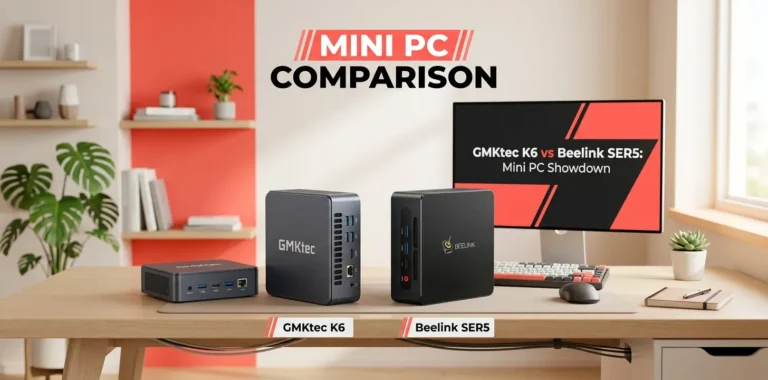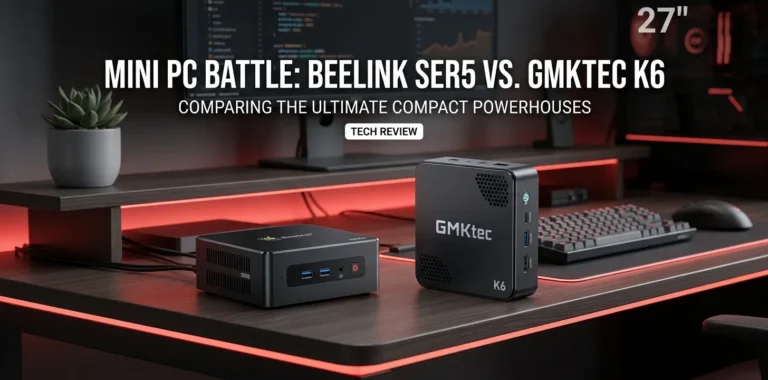
Beelink SER5 or GMKtec K6 for a home server?

For a home server, the GMKtec K6 is the stronger choice overall, especially if you plan to run several containers, virtual machines, media services, or other workloads at the same time. Its Ryzen 7 7840HS, dual 2.5GbE ports, DDR5 memory support, and two PCIe 4.0 M.2 slots give it more room to grow. The Beelink SER5 makes more sense for a simpler, lower-cost server with lighter workloads.
The short answer
If you’re building a small home lab, the choice depends less on raw CPU speed and more on networking, storage, memory, power use, and the number of services you plan to run.
| Feature | Beelink SER5 | GMKtec K6 |
|---|---|---|
| Typical CPU | Ryzen 5 5560U | Ryzen 7 7840HS |
| CPU cores / threads | 6 / 12 | 8 / 16 |
| Memory | DDR4 | DDR5-5600 |
| Maximum memory | Up to 64GB on supported configurations | Up to 64GB |
| M.2 storage | 1 slot | 2 PCIe 4.0 slots |
| Ethernet | Configuration-dependent; SER5 versions commonly use 2.5GbE | 2 × 2.5GbE |
| Wi-Fi | Wi-Fi 6 on common configurations | Wi-Fi 6 |
| Virtualization | Suitable | Better suited to heavier workloads |
| Best use | Basic home server | Homelab and heavier multi-service server |
The exact SER5 specification varies by version, so check the model number before buying. Beelink’s support forum identifies the Ryzen 5 5560U SER5 as a 6-core/12-thread system, while the K6 uses an 8-core/16-thread Ryzen 7 7840HS.
CPU performance matters when your server grows
The SER5’s Ryzen 5 5560U is still a capable processor for a small server. Six cores and 12 threads are enough for tasks such as file sharing, Home Assistant, DNS filtering, lightweight Docker containers, and a few modest services.
The K6 steps up to the Ryzen 7 7840HS with eight cores and 16 threads. GMKtec lists a 3.8GHz base clock, up to 5.1GHz boost, and a 65W TDP.
That extra processing capacity matters when you start running several workloads together.
For example, a basic setup might run:
- Home Assistant
- Pi-hole or another DNS service
- A small file server
- A few Docker containers
- Monitoring software
The SER5 can handle this type of setup without needing a high-end processor.
A more demanding setup could add several virtual machines, development environments, databases, media processing, or other CPU-heavy services. That’s where the K6’s additional cores become more useful.
The K6 has a major storage advantage
Storage is one of the biggest reasons I’d lean toward the K6 for a home server.
GMKtec lists two PCIe 4.0 M.2 2280 slots, with total internal storage expansion of up to 4TB according to its current product specifications.
That gives you more flexibility than a mini PC with only one internal M.2 slot.
You could, for example, dedicate one NVMe drive to the operating system and virtual machines while using another for application data.
That does not turn the K6 into a full NAS, though. If your main goal is storing a large collection of photos, videos, backups, or other files, a dedicated NAS or external storage system may make more sense.
The SER5 can still work well with external storage, but its simpler internal storage arrangement makes it less attractive for a server that you expect to expand over time.
Networking is another reason to choose the K6
The K6 has two 2.5GbE Ethernet ports.
That’s particularly useful in a homelab.
One Ethernet connection can handle your normal network connection while the second can be used for another network segment, depending on how you design your setup.
Dual Ethernet can also be useful for:
- Virtualization labs
- Network testing
- Routing projects
- Separate LAN connections
- Higher-throughput storage networks
For a basic server, however, you may never need two network ports.
If your home network is only 1Gbps and you’re running a few simple services, the second port isn’t a major reason to spend more.
Memory can make a bigger difference than you expect
Home servers often become memory-limited before the CPU becomes the problem.
A server running several containers or virtual machines needs enough RAM for the host operating system and each workload.
The K6 supports DDR5-5600 memory and up to 64GB, according to GMKtec.
That’s a good fit for a growing Proxmox or Linux-based homelab.
The SER5 is also available with upgradeable DDR4 memory, and the Ryzen 5 5560U version is commonly sold with 16GB configurations.
For a small server with a handful of services, 16GB can be enough. Once you start adding multiple VMs, 32GB or more becomes much more useful.
Which one is better for Proxmox?
Both can make sense for a Proxmox home lab.
The SER5 is a good choice if you want an inexpensive starting point for learning virtualization. You can use it to experiment with Linux VMs, containers, networking, and server management without buying a large desktop.
The K6 is better if you already know you want to run several VMs or containers at the same time.
Its eight-core processor, faster DDR5 memory support, two 2.5GbE ports, and two NVMe slots make it better suited to a growing lab. GMKtec also explicitly lists Linux support for the K6.
One practical point: virtualization performance isn’t determined only by CPU specifications. BIOS settings, Linux kernel support, storage configuration, cooling, and the software you’re running all matter.
What about power consumption?
This is where the SER5 can still make a lot of sense.
A home server may run 24 hours a day, so power efficiency matters more than it would for a desktop PC that you use for a few hours.
The K6’s Ryzen 7 7840HS has a listed 65W TDP, while the Ryzen 5 5560U is a lower-power mobile processor.
However, TDP is not the same thing as actual wall power consumption. Your real electricity use will depend on CPU load, memory, SSDs, networking, cooling, BIOS settings, and whether the system spends most of its time idle.
If the server mostly handles DNS, Home Assistant, file sharing, and a few lightweight containers, paying for substantially more CPU power may not provide much benefit.
The K6 is not automatically better for every home server
The K6 wins the specification battle, but that doesn’t mean everyone should buy it.
Suppose your planned server only needs to run:
- Home Assistant
- Pi-hole
- A small web server
- A few Docker containers
- Basic backups
In that situation, the SER5 may provide enough performance while costing less and potentially using less power.
On the other hand, if you want to build a more serious homelab with multiple VMs, containers, fast networking, and expandable NVMe storage, the K6 is the better foundation.
Two realistic home-server setups
Example 1: Simple home automation server
Imagine you want a small computer that runs Home Assistant, DNS filtering, a few Docker containers, and monitoring software.
You don’t need eight CPU cores or two 2.5GbE ports for this setup.
A SER5 would be a sensible choice because its six-core Ryzen 5 5560U provides plenty of processing capacity for a lightweight server.
In this case, spending more on the K6 may not noticeably improve your experience.
Example 2: A growing homelab
Now imagine you want Proxmox with several Linux VMs, Docker services, databases, network experiments, and fast local storage.
The K6 becomes much more attractive.
Its 8-core/16-thread processor, 64GB maximum memory support, dual 2.5GbE networking, and two PCIe 4.0 M.2 slots give you more options as the lab grows.
This is the type of workload where buying the more capable machine upfront can save you from replacing it later.
Which one should you buy?
For most people specifically searching for a home server, I’d break the decision down this way:
Choose the Beelink SER5 if:
- You want a lower-cost server.
- Your workloads are lightweight.
- You’re starting your first homelab.
- You don’t need multiple internal NVMe drives.
- You want reasonable CPU performance without buying more hardware than necessary.
Choose the GMKtec K6 if:
- You plan to run multiple VMs.
- You expect your homelab to grow.
- You want two 2.5GbE ports.
- You want two internal PCIe 4.0 NVMe slots.
- You want up to 64GB of DDR5 memory.
- You need substantially more CPU performance.
The K6 is currently listed by GMKtec at $329.99 for its barebones configuration, while availability and configurations can change.
One important limitation: neither is a complete NAS
A mini PC can make an excellent server, but don’t confuse a mini PC with a purpose-built NAS.
If your priority is large-scale storage, you’ll need to think about:
- Number of drives
- Drive redundancy
- Backup strategy
- Network speed
- Storage capacity
- Cooling
- Data recovery
The K6’s two NVMe slots are useful, but they don’t replace a multi-drive storage enclosure for someone building a serious home file server.
Also remember that RAID is not a backup. Important files should have another copy somewhere else.
What about noise and long-term use?
A home server can run for long periods, so cooling and reliability deserve attention.
Both systems use active cooling rather than being fanless. Under sustained workloads, fan noise will depend on the workload, ambient temperature, and the manufacturer’s fan curve.
This is another reason not to buy far more CPU than you actually need. A lightweight server may spend most of its time doing very little, while a heavily loaded K6 can generate considerably more heat than a low-power server platform.
For either system, keep the vents clear and avoid placing the mini PC somewhere with poor airflow.
Frequently Asked Questions
Is the GMKtec K6 overkill for a home server?
It can be. If you’re only running a few lightweight services, the SER5 is already capable enough. The K6 makes more sense when you need multiple VMs, containers, faster networking, or additional internal storage.
Can the Beelink SER5 run Proxmox?
Yes. The Ryzen 5 5560U SER5 is capable of serving as a Proxmox host for a small homelab. Its six cores and 12 threads are enough for several modest virtualized workloads, although your practical VM count will depend heavily on how much RAM and CPU each workload requires.
Is the K6 better for a 24/7 home server?
The K6 is better for a high-performance 24/7 server because it offers more CPU, memory, networking, and storage capacity. But if your workloads are light, a lower-power system such as the SER5 may be the more sensible choice because you don’t need its extra performance.
The Bottom Line
For a basic home server, the Beelink SER5 is the value choice. It has enough CPU power for many everyday server tasks and makes a good starting point for a first homelab.
For a server you expect to expand, the GMKtec K6 is the better long-term choice. Its Ryzen 7 7840HS, dual 2.5GbE ports, DDR5 support, and two PCIe 4.0 NVMe slots give you considerably more flexibility.
My practical tip: choose based on your planned workloads, not just benchmark numbers. If you’re running a handful of lightweight services, save money with the SER5. If you’re building a real virtualization lab, the K6’s extra hardware is much easier to justify.