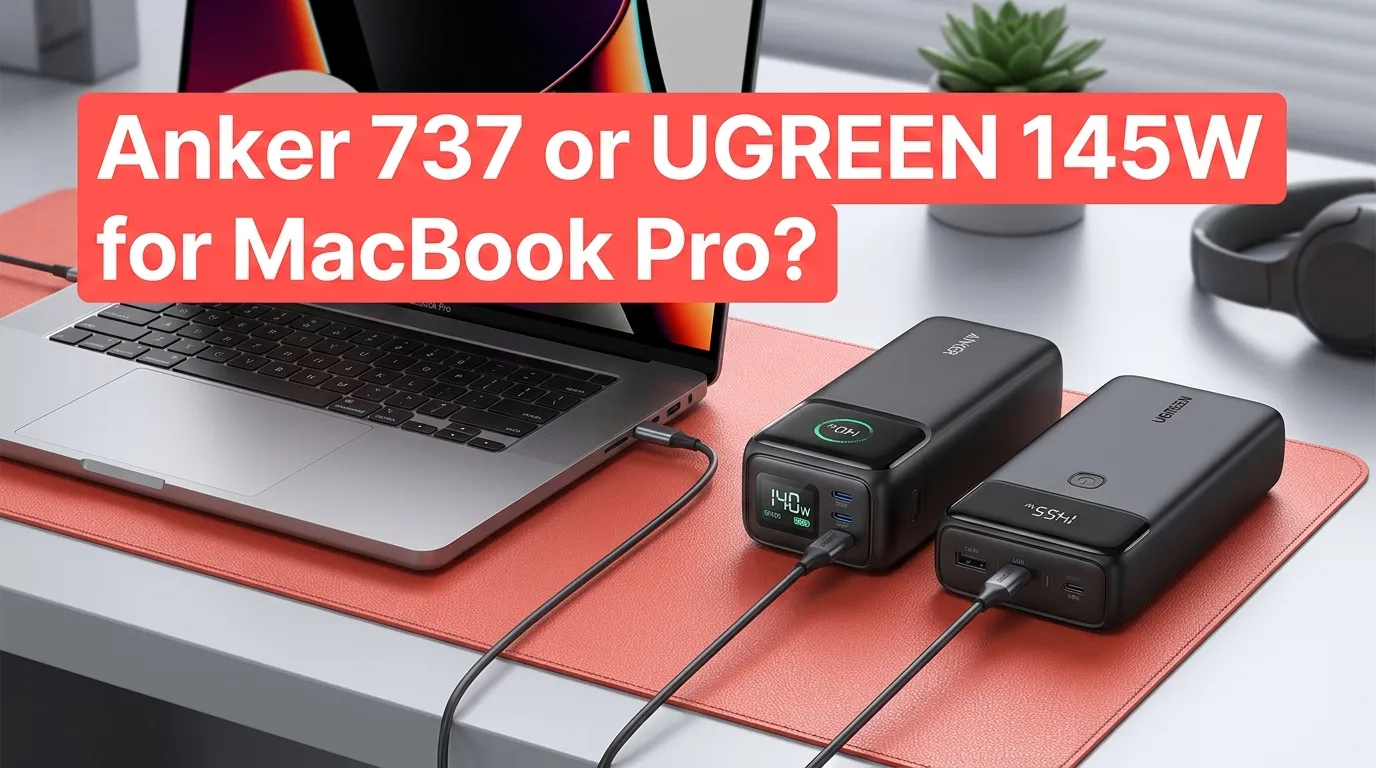
Anker 737 or UGREEN 145W for MacBook Pro?

If you want a high-power power bank for a MacBook Pro, the UGREEN 145W is the better value for most buyers, while the Anker 737 is the better pick if you care about its more detailed display and faster power-bank recharge options. Both can deliver up to 140W through USB-C, so the difference is less about MacBook charging speed and more about capacity, size, weight, ports, monitoring, and price.
For a MacBook Pro user, the key point is that the UGREEN’s advertised 145W is its total output, while its main USB-C port provides up to 140W. The Anker 737 also provides up to 140W total output and has two USB-C ports plus USB-A.
Anker 737 vs UGREEN 145W at a glance
| Feature | Anker 737 Power Bank | UGREEN 145W Power Bank |
|---|---|---|
| Battery capacity | 24,000mAh | 25,000mAh |
| Battery energy | — | 90Wh |
| Maximum total output | 140W | 145W |
| Main USB-C output | Up to 140W | Up to 140W |
| Additional USB-C | Up to 140W specification | Up to 65W |
| USB-A | Yes | Yes, up to 22.5W |
| USB-C ports | 2 | 2 |
| USB-A ports | 1 | 1 |
| Digital display | Yes | Yes |
| Weight | About 22.2 oz / 630g | About 18.1 oz / 513g |
| Dimensions | 6.13 × 2.15 × 1.95 in | 6.30 × 3.15 × 1.02 in |
| Best advantage | Detailed monitoring and strong 140W charging | Higher capacity, lighter body, lower price |
Anker lists the 737 at 24,000mAh and 630g, while UGREEN lists its 145W model at 25,000mAh, 90Wh, and 513g.
Which one is better for a MacBook Pro?
For most MacBook Pro owners, UGREEN 145W wins on overall value.
Its 25,000mAh battery is slightly larger than the Anker’s 24,000mAh pack, and its 513g weight is roughly 117g lighter. It also has a 140W USB-C output that is suitable for high-power MacBook Pro charging.
The Anker 737 becomes more attractive if you value its information-rich display and Anker’s charging ecosystem. Its screen can show charging information, and Anker rates the power bank for 140W maximum output.
So the choice is fairly simple:
- Choose UGREEN 145W if price, capacity, and weight matter most.
- Choose Anker 737 if you prefer Anker and want its more detailed monitoring features.
- Choose either if your main goal is powering a MacBook Pro through USB-C.
MacBook Pro charging: does 140W really matter?
This is where the comparison gets interesting.
Apple says the 16-inch MacBook Pro models introduced in 2021 and later can fast-charge with a 140W USB-C power adapter and the appropriate cable. Apple also says compatible MacBook Pro models can reach up to 50% charge in around 30 minutes under its specified fast-charge setup.
That does not mean a power bank will always deliver 140W to your MacBook.
Actual charging power changes based on the MacBook model, battery level, workload, temperature, cable, and charging protocol. A laptop may also reduce its power draw as the battery gets closer to full.
The important part is that both power banks are designed around the USB-C PD 3.1 class of high-power charging. Anker specifically notes that reaching 140W requires a PD 3.1-capable cable and compatible device.
What about a 14-inch MacBook Pro?
A 14-inch MacBook Pro does not necessarily need 140W to charge quickly.
Apple lists 96W as one of the fast-charge options for 14-inch MacBook Pro models introduced in 2021 or later. That means buying a 140W power bank is partly about having extra power available rather than requiring 140W for every 14-inch model.
For a 14-inch MacBook Pro user who also carries an iPhone, iPad, or other USB-C device, the extra output capacity can still be useful.
UGREEN 145W has the capacity advantage
UGREEN gives you a 25,000mAh battery rated at 90Wh. Its primary USB-C port supports up to 140W, the second USB-C port supports up to 65W, and USB-A can provide up to 22.5W.
That makes the UGREEN especially useful when your MacBook isn’t the only device in your bag.
For example, a hypothetical travel setup could include:
- MacBook Pro on USB-C1
- iPhone or iPad on USB-C2
- Smaller accessory on USB-A
You won’t get the maximum rated output on every port simultaneously, but having three output ports gives you more flexibility.
UGREEN also lists the product as compatible with MacBook Pro models including 13-, 14-, 15-, and 16-inch versions.
Anker 737 is better if you want detailed monitoring
The Anker 737’s biggest practical advantage is its display.
It can provide charging information instead of simply showing a few battery bars. That is useful when you’re trying to judge whether the power bank is actually supplying meaningful power to your MacBook.
Anker also lists 24,000mAh capacity, three output ports, 140W maximum output, and a 630g weight.
One small downside is its size and weight. At about 22.2 ounces, it is a fairly heavy accessory to add to a laptop bag.
If you’re already carrying a 14- or 16-inch MacBook Pro, charger, mouse, and other accessories, that extra weight can matter.
UGREEN is easier to carry
The UGREEN 145W weighs about 513g, compared with about 630g for the current Anker 737 specification. That’s a difference of around 117g, or a little over four ounces.
Neither power bank is tiny. These are high-capacity laptop power banks, not pocket-sized phone chargers.
But if you’re traveling frequently, the UGREEN’s lower weight is a meaningful advantage.
Its flatter shape also gives it a different feel in a laptop bag. The Anker is more compact in one dimension but noticeably thicker.
Which one is better for long trips?
I’d lean toward UGREEN 145W for travel.
You get:
- Slightly more battery capacity
- Lower weight
- 140W USB-C laptop charging
- Three output ports
- A digital battery display
- A 90Wh-rated battery
UGREEN also states that the power bank can be recharged in about two hours using a 65W charger.
The Anker 737 can also make sense for travel, especially if you already own Anker chargers and cables or strongly prefer its display.
But when you’re carrying the power bank around all day, the UGREEN’s lower weight is hard to ignore.
Which one has better charging when powering multiple devices?
The answer depends on what you’re charging.
The UGREEN has a particularly clear multi-device setup: its main USB-C port can provide up to 140W, its second USB-C port up to 65W, and USB-A up to 22.5W.
The Anker 737 has two USB-C ports and one USB-A port, with a 140W maximum total output. Its USB-C ports have 140W-rated output specifications, but that does not mean the power bank can provide 140W to both simultaneously. The total output is limited to 140W.
For a MacBook Pro plus phone setup, either works well. The UGREEN’s clearly defined 65W second USB-C output makes it a particularly practical choice for adding another USB-C device.
What about recharge speed?
This is one area where the Anker 737 has an advantage on paper.
Anker supports up to 140W input, meaning the power bank itself can accept very high charging power with the appropriate charger and cable. Anker states that a 140W charger can fully recharge it in about an hour under its specified conditions.
UGREEN lists up to 65W input and says a full recharge takes about two hours with a 65W charger.
That difference matters if you frequently have only a short time to recharge the battery between trips.
For example, imagine you’re at an airport for an hour and need to refill your power bank before boarding. The Anker’s higher input capability gives it a stronger advantage in that situation.
Which is better for a 16-inch MacBook Pro?
For a 16-inch MacBook Pro, both are strong choices because their main USB-C outputs reach 140W.
Apple specifically supports 140W charging for 16-inch MacBook Pro models introduced in 2021 and later with the appropriate charging setup.
UGREEN states that its 140W USB-C port can charge a 16-inch MacBook Pro to 100% in about 90 minutes under its stated conditions.
The important thing is not to assume that every charging session will take exactly that long. Laptop workload, battery level, temperature, cable type, and charging behavior all affect real-world results.
If you regularly use demanding apps while running from the power bank, the MacBook may also consume power while charging. In that situation, the goal isn’t simply “100% as fast as possible.” A high-output power bank can help the MacBook maintain or increase its battery level while you’re working.
Which one is the better value?
The UGREEN 145W is usually the easier value recommendation.
At the time of checking, UGREEN’s US store showed the 145W model at a discounted price of $68.41 versus a listed $109.99 price, although promotions can change. Anker’s US store listed the 737 at $109.99.
That means the price gap can be substantial when UGREEN is on sale.
However, don’t make the decision based only on today’s price. These products are often discounted, so compare the actual checkout price when you’re ready to buy.
If the two are close in price, the Anker becomes easier to justify because of its fast recharge capability and display.
If UGREEN is significantly cheaper, it offers a very strong combination of capacity, output, ports, and weight.
Two real-world buying scenarios
You work from coffee shops
Suppose you have a 14-inch or 16-inch MacBook Pro and regularly work for several hours away from an outlet.
The UGREEN 145W makes a lot of sense because you get 25,000mAh of capacity and 140W USB-C output while carrying less weight than the Anker.
You can keep the MacBook connected while also charging your phone from the second USB-C port.
You travel between meetings and airports
Now imagine you frequently have short periods when you can recharge the power bank itself.
The Anker 737 becomes more appealing. Its 140W input capability can make a major difference when you have access to a sufficiently powerful charger and compatible cable, while its display lets you monitor the battery and charging information.
For frequent travelers, that combination can be worth paying more for.
Anker 737 vs UGREEN 145W: the decision
| If you care most about… | Better choice |
|---|---|
| Lower weight | UGREEN 145W |
| Larger battery | UGREEN 145W |
| Lower sale price | UGREEN 145W |
| 140W MacBook Pro charging | Tie |
| Detailed charging display | Anker 737 |
| Faster power-bank recharge | Anker 737 |
| Charging a laptop and other devices | UGREEN 145W |
| Frequent travel | UGREEN 145W |
| Anker ecosystem | Anker 737 |
| Best overall value | UGREEN 145W |
Is the Anker 737 worth buying over the UGREEN 145W?
Yes, but mainly for a specific type of buyer.
If you want the lighter power bank with more capacity and don’t need extremely fast power-bank recharge, the UGREEN is the more sensible choice.
The Anker makes more sense if you value its display, prefer Anker’s charging products, or frequently need to refill the power bank as quickly as possible. Its 140W input capability is a real difference rather than just a marketing-number change.
What should you buy for your MacBook Pro?
For most MacBook Pro owners, buy the UGREEN 145W.
It gives you 25,000mAh of capacity, a 140W main USB-C output, three charging ports, a digital display, and a lower weight than the Anker 737.
Choose the Anker 737 instead if fast self-recharging and detailed charging information matter more to you than weight and battery capacity.
One final point: don’t buy either power bank just because the box says “145W” or “140W.” Your MacBook decides how much power it actually accepts. Use a suitable high-power USB-C cable, and match the power bank to your specific MacBook Pro model and charging needs.
Frequently Asked Questions
Can the UGREEN 145W charge a 16-inch MacBook Pro?
Yes. UGREEN lists the 145W power bank as compatible with MacBook Pro models and provides up to 140W from its primary USB-C port. The 16-inch MacBook Pro can use 140W charging with the appropriate setup.
Is the Anker 737 faster than the UGREEN 145W for charging a MacBook Pro?
Not necessarily. Both provide up to 140W through their main USB-C connection, so the MacBook’s own charging limits become important. The bigger speed advantage for Anker is its ability to recharge the power bank itself at up to 140W, compared with UGREEN’s 65W input.
Which is better for travel, Anker 737 or UGREEN 145W?
The UGREEN 145W is the better travel choice for most people because it has a larger 25,000mAh capacity while weighing about 513g, compared with about 630g for the Anker 737. If you often need to recharge the power bank quickly between trips, the Anker’s faster input capability may be worth the extra weight.
Final verdict
UGREEN 145W is the better overall choice for most MacBook Pro users. It gives you slightly more capacity, substantially lower weight, 140W laptop charging, and a strong multi-device setup without costing as much when discounted.
The Anker 737 is the better specialized choice if you want faster power-bank recharge and more detailed monitoring.
For a MacBook Pro that spends a lot of time away from outlets, I’d prioritize capacity and weight first, then recharge speed. That makes the UGREEN 145W the easier pick for most everyday travel and mobile-work setups.