Anker 737 or UGREEN 145W for laptop charging?

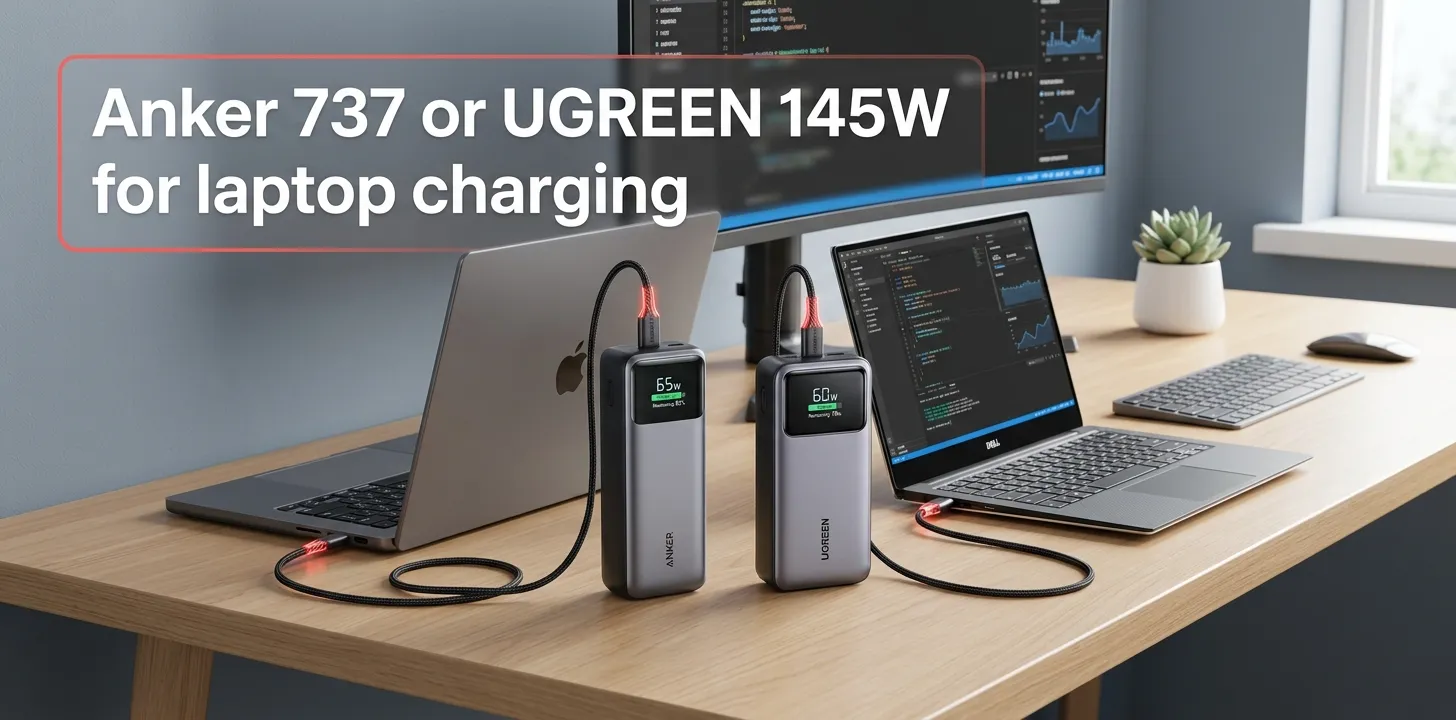
If you want a high-output power bank for a USB-C laptop, both the Anker 737 and UGREEN 145W are strong choices. The UGREEN offers slightly more battery capacity and a lighter design, while the Anker 737 has a more informative display and a compact, proven 140W setup. For most laptop users, the UGREEN is the better value; the Anker is better if monitoring charging data matters to you.
Anker 737 vs UGREEN 145W: At a Glance
Both power banks are built around roughly 90Wh batteries and USB-C Power Delivery, so this is not a case where one is dramatically more powerful than the other. The key differences are capacity, weight, display information, port output, and how you plan to use the bank.
| Feature | Anker 737 PowerCore 24K | UGREEN 145W 25,000mAh |
|---|---|---|
| Battery capacity | 24,000mAh | 25,000mAh |
| Battery energy | About 86.4Wh | 90Wh |
| Maximum USB-C output | 140W | 140W from USB-C1 |
| Second USB-C output | Up to 140W* | Up to 65W |
| USB-A output | Up to 18W | Up to 22.5W |
| USB-C input | Up to 140W | Up to 65W |
| USB-C ports | 2 | 2 |
| USB-A ports | 1 | 1 |
| Display | Detailed digital display | LED battery display |
| Weight | About 630g | About 513g |
| Dimensions | 6.13 × 2.15 × 1.95 in | 160 × 80 × 26mm |
*Maximum output depends on the charging configuration and connected devices.
Anker lists the 737 at 24,000mAh, 140W maximum output, and about 630g. UGREEN lists its 145W model at 25,000mAh, 140W maximum USB-C1 output, 65W USB-C2 output, and 513g.
Which Is Better for Laptop Charging?
For most laptop owners, I would choose the UGREEN 145W. It provides essentially the same maximum single-port laptop output as the Anker 737 while offering 25,000mAh of capacity and a noticeably lower listed weight.
The Anker 737 still makes sense if you care about its detailed power-monitoring display or prefer Anker’s implementation. The two are close enough in laptop charging power that the choice should come down to how you value portability, monitoring, and recharge speed rather than the headline wattage alone.
The 140W Difference Is Smaller Than It Looks
The UGREEN is marketed as a 145W power bank, but its main USB-C1 port is specified for 140W maximum output. The Anker 737 is also rated for 140W maximum output.
So if you’re comparing them specifically for a laptop, don’t assume the UGREEN’s “145W” label means it will deliver 145W to your laptop.
In practice, both can provide up to 140W through their primary USB-C connection when the laptop, cable, and charging protocol support the required power level.
Anker 737: Where It Makes More Sense
The Anker 737 PowerCore 24K is a premium-feeling option designed around high-output USB-C charging.
Its strongest feature is the digital display. Instead of showing only a rough battery percentage, the display can provide information about input, output, and charging status. That’s useful when you’re trying to figure out whether a laptop is actually pulling significant power from the bank.
Anker specifies two USB-C ports and one USB-A port, with 140W maximum total output. Its USB-C ports support the power levels required for high-wattage USB-C PD charging.
Best reason to choose the Anker
Choose the Anker 737 if you value:
- Detailed charging information on the display
- A well-established high-output USB-C design
- 140W laptop charging
- Two USB-C ports plus USB-A
- Faster high-power input capability when using the right charger and cable
Anker specifically notes that reaching 140W requires a compatible PD 3.1 device and a suitable PD 3.1 cable.
UGREEN 145W: Where It Has the Advantage
The UGREEN 145W has a very similar laptop-charging concept but puts more emphasis on capacity and weight.
Its 25,000mAh battery is rated at 90Wh, compared with the Anker’s 24,000mAh battery. UGREEN also lists the power bank at about 513g, which is considerably lighter than the Anker’s roughly 630g.
That difference matters if the power bank will spend hours inside a backpack with a laptop, charger, mouse, and other accessories.
The UGREEN also has a useful second USB-C port rated up to 65W, which can be handy when charging a laptop and another USB-C device.
Best reason to choose the UGREEN
Choose the UGREEN 145W if you want:
- Slightly higher battery capacity
- Lower weight
- 140W maximum laptop output
- A 65W second USB-C output
- A 240W USB-C cable included
- Strong value when discounted
UGREEN currently lists the model with a 25,000mAh/90Wh battery, 140W USB-C1 output, 65W USB-C2 output, and 22.5W USB-A output.
Laptop Charging: What You Can Actually Expect
A power bank’s maximum wattage doesn’t automatically determine how quickly your laptop will charge.
Your laptop controls how much power it requests. A laptop designed for 65W USB-C charging won’t suddenly draw 140W simply because you connected a 140W power bank.
The cable matters too. For very high USB-C PD levels, you need a cable that supports the required power level. Anker specifically points out the cable requirement when reaching 140W.
For example, consider two hypothetical users:
Example 1: MacBook Air user
If your laptop normally needs around 30–67W through USB-C, buying either bank primarily for its 140W capability may be more than you need. Both will provide plenty of output headroom.
Example 2: 16-inch MacBook Pro user
A high-power laptop can make better use of the 140W class of power banks, especially when you’re working away from an outlet. In this situation, the primary USB-C port, appropriate PD support, and a suitable cable matter more than the small difference between “140W” and “145W.”
Battery Capacity: UGREEN Has a Small Edge
On paper, UGREEN wins the capacity comparison.
The Anker 737 has a 24,000mAh battery, while the UGREEN has a 25,000mAh battery.
That’s only a 1,000mAh difference, so don’t expect a dramatic change in laptop runtime.
Also, mAh alone can be misleading because power banks and laptops operate at different voltages. Looking at watt-hours gives a better comparison. UGREEN specifies 90Wh, while the Anker’s 24,000mAh battery corresponds to roughly 86.4Wh at its stated nominal battery voltage.
Actual energy delivered to a laptop will be lower than the battery’s nominal stored energy because conversion and charging losses occur.
Weight and Portability: UGREEN Wins
This is one of the clearest differences.
Anker lists the 737 at about 630g, while UGREEN lists its 145W model at about 513g.
That’s roughly 117g less for the UGREEN.
Neither is a tiny power bank. A 90Wh-class battery designed to deliver well over 100W needs substantial hardware. But if you’re carrying one every day, the UGREEN’s lower weight can make a difference.
For frequent travelers, students, remote workers, and commuters, I’d give UGREEN the portability advantage.
Ports and Charging Multiple Devices
Both models have three physical ports:
- Two USB-C ports
- One USB-A port
But their port capabilities aren’t identical.
The UGREEN gives its primary USB-C port up to 140W and its second USB-C port up to 65W. Its USB-A port can provide up to 22.5W under supported charging protocols.
The Anker 737 has two USB-C ports and one USB-A port, with 140W maximum total output.
If you frequently connect a laptop plus another USB-C device, the UGREEN’s clearly specified 65W second USB-C port is attractive.
Just remember that maximum numbers generally describe individual-port capability under specific conditions. Connecting multiple devices can change the available power distribution.
Recharge Speed: Anker Has the More Interesting Advantage
Laptop charging isn’t the only thing to consider. A power bank eventually needs to recharge itself.
The Anker 737 supports very high USB-C input levels, with its USB-C1 input specification reaching 140W.
UGREEN lists a maximum USB-C1 input of 65W and says the bank can recharge in about two hours with a 65W PD charger.
That gives Anker a major advantage if you own a sufficiently powerful charger and want to refill the power bank quickly between trips.
However, you need the appropriate wall charger and cable to take advantage of high-speed input.
Which One Is Better for Travel?
For most travelers, I’d lean toward the UGREEN 145W because it offers a 90Wh battery while weighing less.
The 90Wh rating is also useful to know when flying. Lithium-ion power banks are subject to airline and aviation rules, and the exact requirements can vary by carrier and route. Always check your airline’s current rules before traveling with a high-capacity power bank.
The important point is that neither model should be treated like an ordinary small phone charger. They’re relatively large battery packs designed to provide substantial power to laptops.
Which One Is Better for MacBook Pro?
Both can be good choices for a USB-C MacBook Pro that supports high-wattage USB-C PD charging.
The Anker 737 has the advantage if you want its detailed power display and very high input capability. The UGREEN makes more sense if you want lower weight and slightly more nominal capacity.
For a MacBook Pro that doesn’t require anywhere near 140W, however, you don’t necessarily need either one. A smaller 65W or 100W power bank may be easier to carry.
Which One Is Better for Windows Laptops?
The answer depends heavily on the laptop.
Many USB-C Windows laptops support charging at 65W, 90W, or 100W, while some performance laptops have more demanding power requirements. A power bank’s 140W output does not mean every laptop can accept 140W.
Before buying, check your laptop manufacturer’s specifications for:
- USB-C charging support
- Maximum USB-C input wattage
- USB Power Delivery requirements
- Whether charging works while the laptop is under heavy load
UGREEN specifically lists compatibility with devices including Dell, HP, Surface, ThinkPad, and Chromebook models, but compatibility still depends on the individual laptop’s charging requirements.
Is 140W Enough for a Gaming Laptop?
Sometimes, but this is where you need to be careful.
A gaming laptop may accept USB-C power while still requiring much more power during demanding gaming or rendering workloads. In that situation, a 140W power bank may keep the battery from falling as quickly or provide useful charging when the system is lightly loaded, but it may not replace the laptop’s full AC power adapter.
If your main goal is gaming away from an outlet, check the laptop’s USB-C charging specifications before buying either power bank.
Anker 737 or UGREEN 145W: Which Should You Buy?
The decision is fairly simple once you identify what matters most.
| If you care most about… | Better choice |
|---|---|
| Lower weight | UGREEN 145W |
| Slightly larger battery | UGREEN 145W |
| 140W laptop output | Tie |
| Detailed power monitoring | Anker 737 |
| Very fast power-bank recharge | Anker 737 |
| Second USB-C up to 65W | UGREEN 145W |
| Daily travel | UGREEN 145W |
| Monitoring exactly what your laptop draws | Anker 737 |
| Overall value | UGREEN 145W |
The UGREEN is the easier recommendation for most people because its core laptop-charging performance is similar while it is lighter and slightly higher capacity.
The Anker becomes more appealing when its detailed display and faster self-recharging are worth paying extra for.
The Biggest Buying Mistake to Avoid
Don’t buy either power bank based only on the 140W or 145W number.
First check your laptop’s charging requirements.
If your laptop accepts only 65W, the extra output doesn’t make it charge at 140W. If it requires a proprietary charging system rather than USB-C PD, these power banks may not provide the charging experience you expect.
You should also check the cable. High-power USB-C charging can require an electronically marked cable capable of handling the required power level. Anker specifically identifies a PD 3.1-compatible cable as necessary for 140W operation.
Frequently Asked Questions
Is the UGREEN 145W actually faster than the Anker 737 for laptop charging?
Not necessarily. Although UGREEN markets the product as a 145W power bank, its primary USB-C output is specified at up to 140W, matching the Anker 737’s maximum output. Actual charging speed depends on the laptop, USB-C PD support, cable, and current workload.
Is 25,000mAh better than 24,000mAh for laptop use?
The UGREEN’s 25,000mAh capacity is slightly higher, but the difference is small. For laptop users, the roughly 90Wh battery and overall conversion efficiency are more useful measures than comparing the mAh numbers alone.
Which is better for a laptop: Anker 737 or UGREEN 145W?
For most buyers, the UGREEN 145W is the better overall choice because it provides 140W USB-C output, 25,000mAh capacity, and a lower listed weight. The Anker 737 is a better fit if you prioritize its detailed display and much higher maximum USB-C input capability.
Final Verdict
For laptop charging, I’d choose the UGREEN 145W for most people. It gives you essentially the same 140W maximum single-port output as the Anker 737, slightly more battery capacity, a 65W second USB-C port, and a lower listed weight.
Choose the Anker 737 instead if its detailed charging display and faster self-recharge capability are important to you.
One practical tip: check your laptop’s USB-C charging wattage before buying. If your laptop only needs 65W or 100W, you may be better off choosing a smaller, lighter power bank instead of paying for output you won’t use.