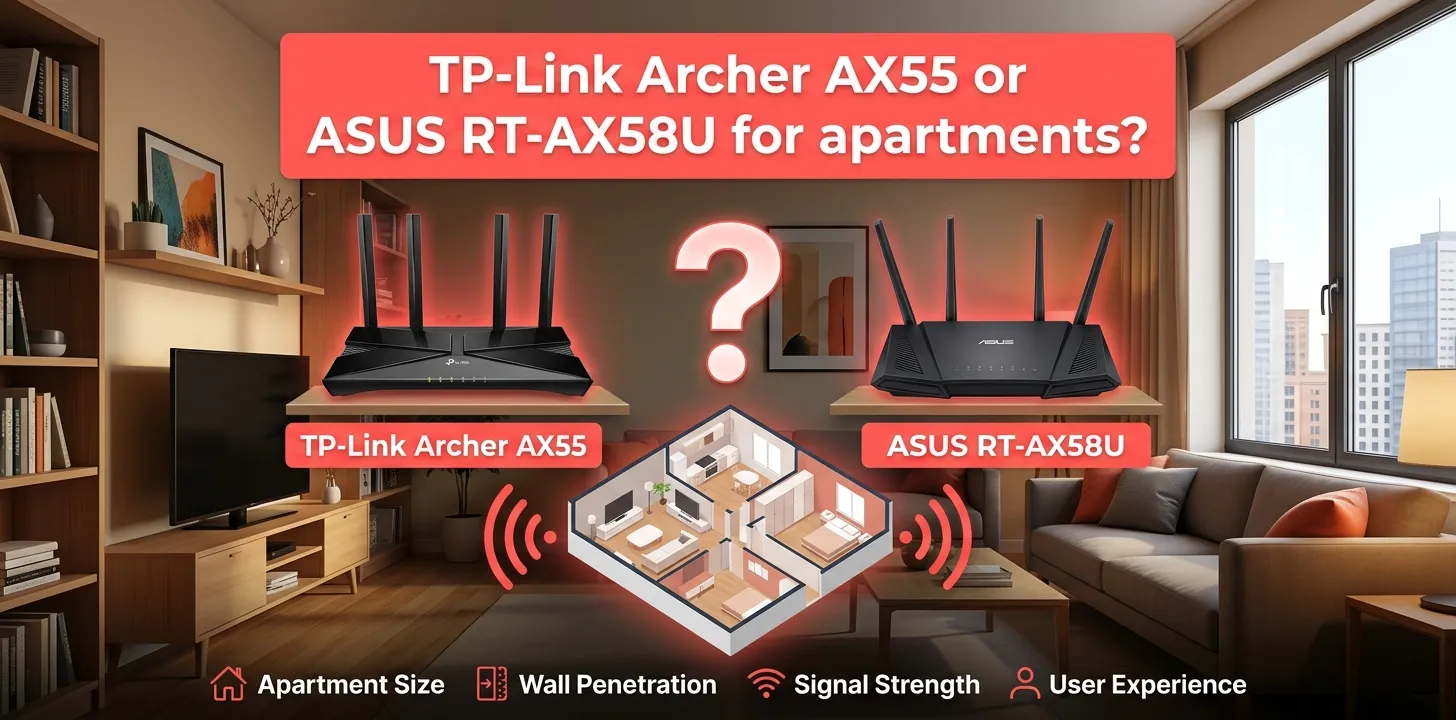
TP-Link Archer AX55 or ASUS RT-AX58U for apartments?

If you live in an apartment, the TP-Link Archer AX55 is the better overall choice for most people, mainly because its Wi-Fi 6 hardware, four external antennas, DFS support, and OneMesh/EasyMesh options fit the crowded wireless environment common in apartment buildings. The ASUS RT-AX58U is still a strong alternative, especially if you want ASUS AiMesh and more advanced network controls.
Both routers are AX3000-class Wi-Fi 6 models, so this is not a case where one has a dramatically faster wireless standard. Each supports up to 2,402 Mbps on 5 GHz and 574 Mbps on 2.4 GHz under ideal link conditions. Real-world speeds will be lower and depend on your internet plan, client devices, interference, walls, and router placement.
| Feature | TP-Link Archer AX55 | ASUS RT-AX58U |
|---|---|---|
| Wi-Fi standard | Wi-Fi 6 | Wi-Fi 6 |
| Class | AX3000 | AX3000 |
| 5 GHz rated speed | Up to 2,402 Mbps | Up to 2,402 Mbps |
| 2.4 GHz rated speed | Up to 574 Mbps | Up to 574 Mbps |
| 5 GHz channels | 20/40/80/160 MHz | 20/40/80/160 MHz |
| External antennas | 4 | 4 |
| Gigabit LAN ports | 4 | 4 |
| USB | USB 3.0 | USB 3.2 Gen 1 |
| Mesh platform | OneMesh / EasyMesh | AiMesh |
| Multi-device Wi-Fi | OFDMA | OFDMA |
| Apartment advantage | Strong choice for crowded networks | Strong choice for ASUS ecosystems |
Why the Archer AX55 makes sense in an apartment
Apartment buildings create a different Wi-Fi problem than many single-family homes. Your neighbors may have dozens of routers operating within range, which can make the 5 GHz and 2.4 GHz bands more crowded.
The Archer AX55 supports DFS channels, giving compatible devices access to additional 5 GHz spectrum when appropriate. TP-Link also includes OFDMA, beamforming, four external antennas, and high-power front-end modules. Those features don’t guarantee better coverage in every apartment, but they give the AX55 a solid setup for a busy wireless environment.
Independent testing from RTINGS also specifically rates the AX55 as a good fit for apartments, condos, and single-story homes.
That makes the AX55 particularly appealing if your apartment has:
- Several nearby Wi-Fi networks
- Multiple phones, laptops, TVs, and smart-home devices
- A fast internet plan up to around gigabit Ethernet speeds
- One main floor where you want consistent coverage
- A future need for mesh expansion
Where the ASUS RT-AX58U stands out
The RT-AX58U has very similar core wireless specifications. It is an AX3000 dual-band Wi-Fi 6 router with four external antennas, 2×2 transmission on both bands, four Gigabit LAN ports, and a USB 3.2 Gen 1 port.
Its biggest advantage for many buyers is ASUS AiMesh.
If you already have a compatible ASUS router or expect to build an ASUS-based mesh network later, the RT-AX58U can be a more natural choice. It also offers ASUS features such as Adaptive QoS, traffic monitoring, VPN functions, and AiProtection security features.
So the ASUS isn’t a bad apartment router at all. It’s simply more attractive when its software and ecosystem match what you want.
Archer AX55 vs RT-AX58U: which is better for apartment Wi-Fi?
For most apartment shoppers, I would give the Archer AX55 a slight edge.
The reason isn’t the advertised AX3000 speed. Both routers have essentially the same headline wireless class. The difference comes from the features that are useful when you’re dealing with a typical apartment’s limited space and wireless congestion.
The AX55 has four external antennas, beamforming, OFDMA, DFS support, and both OneMesh and EasyMesh capabilities. TP-Link also lists 512 MB of RAM and a dual-core CPU for the US model.
The RT-AX58U counters with AiMesh and ASUS’s broader network-management feature set. If those features matter more to you, the ASUS can be the better personal choice.
For a small studio or one-bedroom apartment
Pick the Archer AX55.
You probably don’t need an expensive mesh system for a small apartment. A single well-placed AX55 should be enough for many one-floor layouts, assuming the walls and building materials aren’t unusually difficult for Wi-Fi.
The key is placement. Put the router in a reasonably central, elevated location rather than hiding it inside a cabinet or placing it at the far end of the apartment.
For a two-bedroom apartment
The AX55 is still the easier recommendation, but the layout matters more than the number of bedrooms.
A compact two-bedroom apartment with the router near the center may be covered well by one router. A long apartment with thick concrete walls can be much harder.
In that situation, buying a second compatible access point or mesh unit may help more than switching between these two routers.
The AX55 supports both OneMesh and EasyMesh-compatible setups, while the RT-AX58U can work as part of an ASUS AiMesh network.
For an apartment with lots of neighbors’ Wi-Fi
The Archer AX55 gets the nod.
DFS support can be useful because it provides access to additional 5 GHz channels where permitted and where your devices support them. That can give you more options when the regular channels around you are crowded.
Keep in mind that DFS isn’t a magic fix. The router may need to move away from a DFS channel if radar detection requires it, and not every client behaves the same way with DFS channels.
For gaming in an apartment
Either router can work well.
For online gaming, the router’s advertised 2,402 Mbps maximum isn’t the most important number. Stable latency, a good connection between your gaming device and router, and a reliable internet connection matter more.
The AX55 includes device-based QoS, while the ASUS offers Adaptive QoS and other traffic-management tools.
If your gaming PC or console is close enough to run Ethernet, that’s usually a better move than buying a more expensive Wi-Fi router.
For streaming several devices
Both are capable choices.
Imagine a two-bedroom apartment where one person is watching a 4K stream, another is on a video call, and several phones and smart devices are connected. Both routers support Wi-Fi 6 features designed to handle multiple clients efficiently.
The AX55 uses OFDMA and Airtime Fairness, while the RT-AX58U also supports OFDMA and related Wi-Fi 6 technologies.
The actual result will still depend heavily on your devices and how much wireless interference exists in the building.
Which router has better coverage?
There isn’t a simple winner based only on the antenna count.
Both have four external antennas, and both use beamforming-related Wi-Fi technologies. TP-Link officially lists the AX55’s range category as suitable for a three-bedroom house, but that should not be treated as a guarantee for any particular apartment. Walls, floors, construction materials, interference, and router placement can dramatically change coverage.
For an apartment, placement often matters more than the small differences between these routers.
For example, putting either router:
- In a central living area
- Away from large metal objects
- Out in the open
- At a reasonable height
is generally more useful than placing it behind a TV or inside a closed cabinet.
What about the USB ports?
The Archer AX55 has one USB 3.0 port that can be used for storage-related functions such as file sharing, media serving, FTP, and Time Machine support.
The RT-AX58U has one USB 3.2 Gen 1 port and supports several ASUS USB applications, including file sharing, media serving, FTP, and other network-storage functions.
For most apartment users, this shouldn’t determine the purchase. If you don’t plan to connect a USB drive to your router, the difference has little practical value.
Which one is easier to expand later?
This depends on which ecosystem you prefer.
The Archer AX55 supports TP-Link OneMesh and EasyMesh. TP-Link has also added EasyMesh features through firmware updates for US versions of the AX55.
The RT-AX58U supports ASUS AiMesh, allowing compatible ASUS routers and nodes to work together as a mesh system.
If you already own compatible equipment from either brand, staying within that ecosystem can make more sense than choosing based on the router name alone.
A practical apartment setup
Suppose you have a 900-square-foot apartment, a gigabit internet connection, two phones, two laptops, a smart TV, a game console, and several smart-home devices.
A single AX3000 router is a reasonable starting point. You don’t automatically need a three-pack mesh system.
I’d place the router near the middle of the apartment and connect the gaming console or desktop by Ethernet if possible. Then use 5 GHz for devices that need higher speeds and keep lower-bandwidth smart-home devices on 2.4 GHz.
If one bedroom consistently has weak coverage, first try improving router placement. If that doesn’t solve it, then consider adding a compatible mesh/access-point solution.
Which one should you buy?
Choose the TP-Link Archer AX55 if you want:
- A strong all-around apartment router
- Wi-Fi 6 with AX3000-class speeds
- DFS support
- Four external antennas
- OneMesh/EasyMesh expansion
- USB storage features
- A straightforward choice for a crowded apartment building
Choose the ASUS RT-AX58U if you want:
- ASUS AiMesh
- ASUS’s network-management features
- Adaptive QoS and traffic-monitoring tools
- A router that fits an existing ASUS setup
- USB networking features built around the ASUS ecosystem
The difference is therefore less about raw Wi-Fi speed and more about ecosystem, management features, and how your apartment is laid out.
Common mistakes apartment owners make with Wi-Fi routers
One of the biggest mistakes is assuming a more powerful router automatically solves every dead zone. A concrete wall, metal framing, or a poor router location can have a much larger effect than the difference between two similar AX3000 routers.
Another mistake is focusing only on the number printed on the box. The 2,402 Mbps 5 GHz figure is a theoretical link rate, not the speed your phone or laptop will necessarily receive from the internet. TP-Link and ASUS both warn that actual throughput and coverage vary with network conditions, connected devices, interference, building materials, and other factors.
Finally, don’t buy a mesh system simply because your apartment has multiple rooms. Test one well-placed router first unless your layout or building construction clearly creates a coverage problem.
Frequently asked questions
Is the TP-Link Archer AX55 good for an apartment?
Yes. The Archer AX55 is particularly well suited to apartments because it combines Wi-Fi 6, four external antennas, beamforming, OFDMA, and DFS support. Independent testing also rates it as a good option for apartments, condos, and single-story homes.
Is the ASUS RT-AX58U better than the Archer AX55 for crowded apartments?
Not necessarily. Both are AX3000 Wi-Fi 6 routers, but the AX55 has useful features such as DFS and EasyMesh/OneMesh support, while the ASUS has AiMesh and strong network-management options. For a crowded apartment, the AX55 is the safer general recommendation, while ASUS makes more sense if you prefer its ecosystem.
Do I need a mesh system for an apartment?
Usually not if you have a small, open, single-floor apartment and can place the router near the center. If thick walls, a long floor plan, or a distant bedroom causes persistent weak coverage, adding a compatible mesh node or wired access point can be more effective than replacing one AX3000 router with another.
The bottom line
For most apartment dwellers, TP-Link Archer AX55 is the better pick between these two. Its AX3000 Wi-Fi 6 hardware, DFS support, external antennas, and flexible mesh options make it a practical fit for apartment living, while the ASUS RT-AX58U remains a good choice for people who prefer ASUS AiMesh and its network-management tools.
Before buying, check your apartment’s layout and internet speed first. A well-placed AX55 will usually serve a small apartment better than a more expensive router placed in the wrong location.