TP-Link Archer AX55 or ASUS RT-AX58U for gaming?

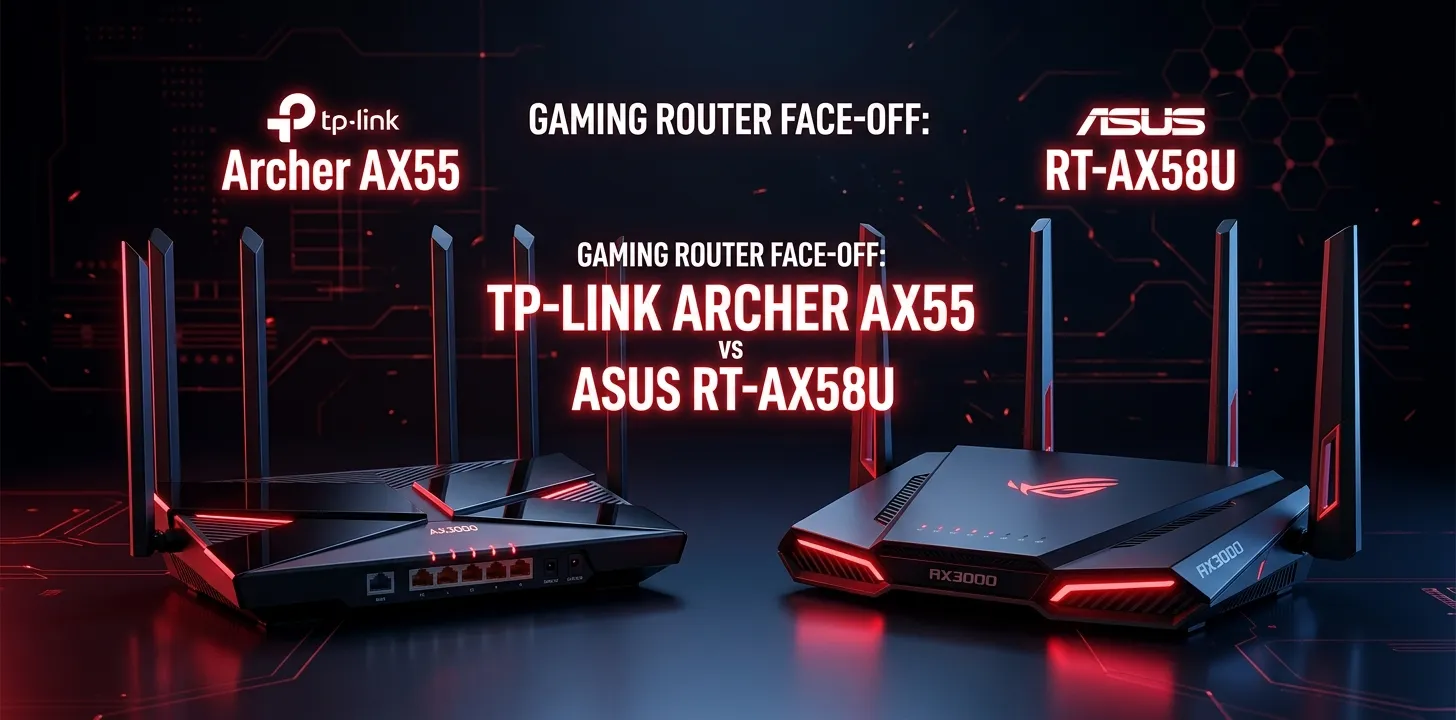
If gaming is your main priority, the TP-Link Archer AX55 is the better choice for most homes because it offers the same AX3000-class Wi-Fi 6 speeds as the ASUS RT-AX58U, plus strong 5 GHz performance, 160 MHz channel support, OFDMA, and device-based QoS. The ASUS is still a strong option, especially if you plan to use ASUS AiMesh or prefer its router controls.
Both routers are older-generation Wi-Fi 6 models, so the decision is less about headline Wi-Fi speed and more about latency, traffic management, coverage, wired connections, and the software features you actually need.
Archer AX55 vs. RT-AX58U: What is the difference?
At a basic hardware level, these routers are surprisingly close. Both are dual-band Wi-Fi 6 routers rated at up to 2,402 Mbps on 5 GHz and 574 Mbps on 2.4 GHz. Both support 160 MHz channels, OFDMA, beamforming, four external antennas, one Gigabit WAN port, four Gigabit LAN ports, and USB connectivity.
| Feature | TP-Link Archer AX55 | ASUS RT-AX58U |
|---|---|---|
| Wi-Fi standard | Wi-Fi 6 | Wi-Fi 6 |
| Class | AX3000 | AX3000 |
| 5 GHz | Up to 2402 Mbps | Up to 2402 Mbps |
| 2.4 GHz | Up to 574 Mbps | Up to 574 Mbps |
| 160 MHz | Yes | Yes |
| OFDMA | Yes | Yes |
| External antennas | 4 | 4 |
| Gigabit WAN | 1 | 1 |
| Gigabit LAN | 4 | 4 |
| USB | USB 3.0 | USB 3.2 Gen 1 |
| Mesh system | OneMesh/EasyMesh | AiMesh |
| QoS | Device-based QoS | Adaptive QoS |
| Gaming focus | Good | Good |
| Best fit | Value and coverage | Software and ASUS ecosystem |
The numbers above are maximum wireless link rates, not speeds you should expect from a phone, laptop, PS5, Xbox, or gaming PC. Actual performance depends on the client device, distance, interference, building materials, and network traffic.
Which router is better for gaming?
For most gamers, the Archer AX55 gets the edge.
The reason is not that it has dramatically faster Wi-Fi. It doesn’t. Both routers are AX3000 models with essentially the same advertised wireless speeds.
The bigger issue is how the router behaves when your gaming connection shares bandwidth with other activity.
The Archer AX55 supports OFDMA, Airtime Fairness, DFS, and device-based QoS. TP-Link specifically positions its Wi-Fi 6 features around reducing latency and improving responsiveness when several devices are using the network.
The RT-AX58U also supports OFDMA and 160 MHz channels and has ASUS’s Adaptive QoS features. Its hardware varies by version, with ASUS listing a 1.7 GHz quad-core processor for V2 and a 1.5 GHz tri-core processor for V1, while both versions have 512 MB of RAM.
So the difference is relatively small for ordinary online gaming.
For competitive gaming
Neither router should be your first choice if your goal is serious competitive gaming over Wi-Fi.
Independent testing of the Archer AX55 found its wireless latency performance to be adequate for normal use and non-competitive gaming but not ideal for competitive gaming.
For competitive play, connecting your gaming PC or console to the router with Ethernet is usually a more meaningful improvement than switching between these two Wi-Fi 6 routers.
For casual and mainstream gaming
Both are more than capable for games such as Fortnite, Call of Duty, Minecraft, Rocket League, and similar online titles when the network is configured properly.
The important thing is keeping latency stable. A router cannot eliminate latency caused by your ISP, the distance to the game server, congestion outside your home, or a poor wireless signal.
TP-Link Archer AX55 gaming performance
The Archer AX55 has several features that make sense for a busy gaming household.
Its 5 GHz radio is rated at up to 2,402 Mbps and supports 160 MHz channels. It also uses OFDMA to let multiple Wi-Fi 6 devices share wireless resources more efficiently.
The router also includes device-based QoS. TP-Link’s current documentation shows that QoS can prioritize selected devices when the network is busy.
That can be useful when someone else is downloading a large file, streaming video, or using several devices while you are playing.
The AX55 also has four high-performance external antennas, beamforming, and high-power front-end modules. TP-Link rates its coverage for a three-bedroom house, although real coverage will vary with walls, floor layout, interference, and client devices.
Why the AX55 makes sense for gaming
- Strong 5 GHz performance
- 160 MHz channel support
- OFDMA for multiple devices
- Device-based QoS
- Four Gigabit LAN ports
- Good range for a standalone router
- OneMesh and EasyMesh support
- USB 3.0
- Recent US firmware updates continue to address stability and security
The main limitation is that its wireless latency is not exceptional. Independent testing describes the AX55 as decent for gaming over Wi-Fi but unsuitable for competitive gaming where latency consistency matters heavily.
ASUS RT-AX58U gaming performance
The ASUS RT-AX58U is also a capable gaming router, but its main advantage is the ASUS software ecosystem rather than faster wireless hardware.
It is an AX3000 dual-band Wi-Fi 6 router with 2,402 Mbps maximum 5 GHz speed, 574 Mbps maximum 2.4 GHz speed, 160 MHz channels, OFDMA, beamforming, and 1024-QAM.
ASUS also provides Adaptive QoS, which can be useful when gaming traffic competes with other household traffic.
Another important difference is AiMesh. If you already have compatible ASUS networking equipment or expect to build an ASUS mesh system later, the RT-AX58U can make more sense because it can operate as an AiMesh router or node.
Why choose the RT-AX58U for gaming?
- Excellent AX3000-class Wi-Fi 6 performance
- 160 MHz support
- OFDMA and beamforming
- Adaptive QoS
- Four Gigabit LAN ports
- AiMesh support
- USB 3.2 Gen 1
- More powerful processor in the V2 version
Its biggest drawback for a new buyer is that it is an older Wi-Fi 6 design. If you’re buying new equipment today, newer Wi-Fi 6E or Wi-Fi 7 routers may offer more advanced wireless capabilities.
Gaming features that actually matter
It is easy to get distracted by a router’s advertised Wi-Fi speed. For gaming, several other factors matter more.
Ethernet connection
If your gaming PC, PlayStation, Xbox, or other console is close enough to the router, Ethernet is usually the simplest way to get a stable connection.
Both routers have four Gigabit LAN ports, so either can handle a wired gaming setup.
For a desktop gaming PC sitting beside the router, paying extra for a “gaming Wi-Fi” feature may make less difference than simply using a network cable.
QoS
QoS becomes more useful when your household is busy.
Imagine a household where one person is gaming while another is streaming 4K video and someone else is downloading a large game update. Without traffic management, the network can become congested.
Both routers offer ways to prioritize traffic or devices, although the exact controls differ.
TP-Link’s AX55 supports device-based QoS, while ASUS uses Adaptive QoS.
5 GHz signal quality
For gaming over Wi-Fi, a strong 5 GHz connection is often more important than the router’s theoretical maximum speed.
A console two rooms away through several walls may perform worse than a lower-cost router located in a better position.
Keep the router in an open, central location rather than inside a cabinet or behind large objects.
What about ping and latency?
This is where many router comparisons become misleading.
A router with “3000 Mbps” printed on the box does not automatically give you lower ping.
Your gaming latency is affected by several parts of the connection:
Gaming device → Wi-Fi/Ethernet → router → modem/ONT → ISP → internet routing → game server
A new router can improve the first part of that path, especially if your existing router has poor Wi-Fi or becomes overloaded. But it cannot control every other part.
For example, if your ISP’s route to a game server is adding significant latency, replacing an AX3000 router with another AX3000 router may barely change your ping.
Which is better for a busy household?
The Archer AX55 is a strong choice when gaming is one of several demanding activities happening at once.
Its Wi-Fi 6 features are designed for multiple connected devices, and its QoS can prioritize a selected device when the network is busy.
The RT-AX58U can handle this type of household too, particularly if you like ASUS’s Adaptive QoS and network management tools.
If you already own ASUS AiMesh equipment, however, the ASUS router becomes more attractive because keeping the network within the same mesh ecosystem can simplify expansion.
Which is better for PS5 and Xbox?
For a PS5 or Xbox connected by Ethernet, neither router has a major gaming advantage.
Both provide Gigabit Ethernet ports, which is more than enough for typical console internet connections.
For a console using Wi-Fi, the AX55 is a slightly more appealing overall pick because of its strong range and straightforward device-priority approach.
But placement still matters. A console with a weak 5 GHz signal can have a worse experience regardless of which of these two routers you buy.
Which is better for a gaming PC?
For a gaming PC connected by Ethernet, the choice is close.
I’d lean toward the Archer AX55 for value and the RT-AX58U if you specifically prefer ASUS’s software and AiMesh ecosystem.
If the PC must use Wi-Fi, pay more attention to the quality of the PC’s Wi-Fi adapter and its location. A router cannot compensate for a poor wireless adapter or a weak signal through several walls.
Which one should you buy?
| Your situation | Better choice |
|---|---|
| General online gaming | Archer AX55 |
| Gaming over Wi-Fi | Archer AX55 |
| Busy household | Archer AX55 |
| Gaming PC on Ethernet | Tie |
| PS5/Xbox on Ethernet | Tie |
| ASUS AiMesh setup | RT-AX58U |
| Prefer ASUS network controls | RT-AX58U |
| Want strong standalone coverage | Archer AX55 |
| Competitive gaming over Wi-Fi | Neither is ideal |
| Already own compatible ASUS gear | RT-AX58U |
| Best simple choice for most buyers | Archer AX55 |
Two real-world buying examples
Example 1: A family with one gaming console
Suppose a household has a PS5, several phones, smart TVs, laptops, and a couple of people who stream video. The console is in a room with a decent 5 GHz signal.
The Archer AX55 is the easier recommendation. Its AX3000 Wi-Fi, 160 MHz support, OFDMA, range, and device QoS provide a good balance for this type of network.
Example 2: A gamer already using ASUS networking equipment
Suppose someone already owns an ASUS AiMesh-compatible router and wants to add another ASUS device.
The RT-AX58U can make more sense because AiMesh lets compatible ASUS routers work together as a mesh system.
In that situation, ecosystem compatibility can matter more than small differences in standalone performance.
Frequently Asked Questions
Is the Archer AX55 good enough for online gaming?
Yes. The Archer AX55 is well suited to normal online gaming, particularly when the gaming device has a strong 5 GHz connection or uses Ethernet. Independent testing found its wireless latency adequate for non-competitive gaming, although it is not a top choice for competitive gaming over Wi-Fi.
Does the RT-AX58U have better gaming performance than the Archer AX55?
Not by a clear enough margin to make it the automatic gaming winner. Both are AX3000 Wi-Fi 6 routers with similar advertised wireless rates, while the ASUS’s main advantages are its Adaptive QoS and AiMesh ecosystem.
Should I use Ethernet for gaming with either router?
Yes, if practical. Both routers have four Gigabit LAN ports, so you can connect a gaming PC or console directly to the router for a more consistent connection than Wi-Fi can provide.
final verdict
For most people searching for TP-Link Archer AX55 or ASUS RT-AX58U for gaming, I’d choose the TP-Link Archer AX55.
It offers essentially the same AX3000 wireless class as the RT-AX58U, strong 5 GHz capability, 160 MHz support, OFDMA, four Gigabit LAN ports, good standalone coverage, and device-based QoS.
Choose the ASUS RT-AX58U instead if you specifically want ASUS’s software features, Adaptive QoS, or AiMesh compatibility.
One practical tip: if your gaming device is close enough to run Ethernet, use the cable before spending money on a more expensive router. For competitive gaming especially, a stable wired connection is usually a better priority than chasing a higher Wi-Fi speed rating.