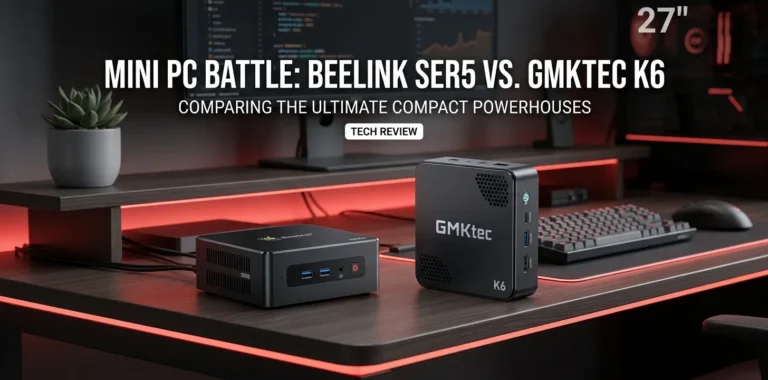
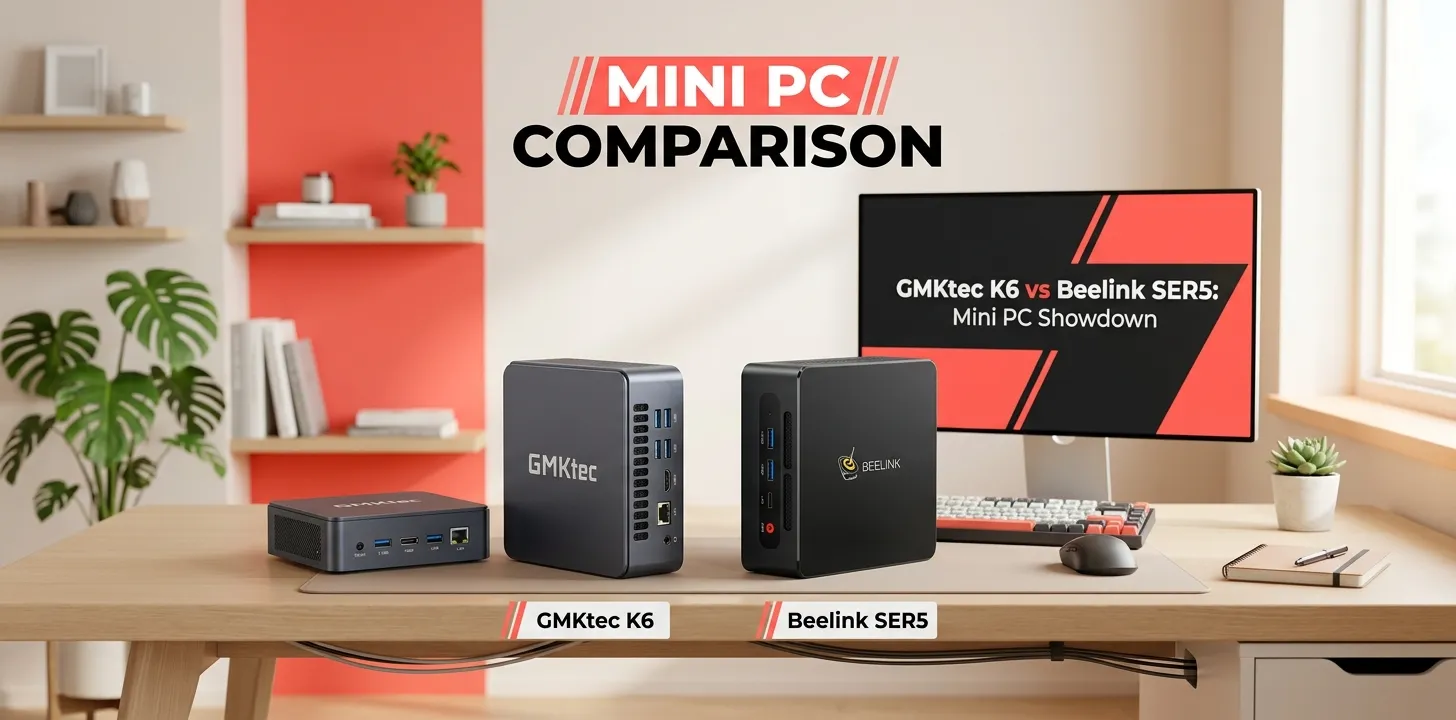
GMKtec K6 or Beelink SER5 for a small office PC?

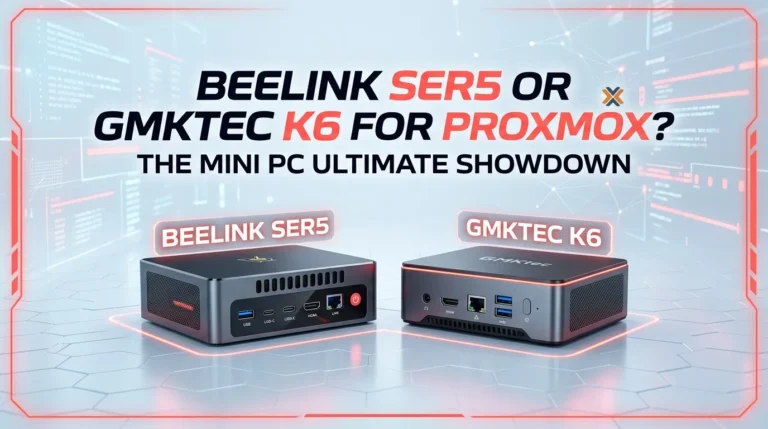
If you are choosing between the GMKtec K6 and Beelink SER5 for a small office PC, the GMKtec K6 is the stronger overall choice. Its Ryzen 7 7840HS, Radeon 780M graphics, DDR5 memory, dual 2.5GbE ports, USB4, and dual PCIe 4.0 M.2 slots give it a much newer platform and more room for demanding office work. The SER5 can still make sense when it is significantly cheaper or you need its 2.5-inch SATA storage option.
For a typical small office, though, the decision is not simply about which PC has the faster processor. Office workers care about quick multitasking, several monitors, reliable networking, storage flexibility, noise, power use, and how easy the computer is to maintain. That changes the picture.
The short answer
Choose the GMKtec K6 if the PC will handle Microsoft Office, large spreadsheets, lots of browser tabs, video meetings, multiple displays, light creative work, or heavier multitasking.
Choose the Beelink SER5 if your office workload is basic, the SER5 is available at a much lower price, or you specifically want an internal 2.5-inch SATA SSD/HDD alongside the M.2 drive.
For a new small-office purchase in 2026, I would generally favor the K6 unless the price difference makes the SER5 a much better value.
GMKtec K6 vs Beelink SER5: What You Actually Get
There are several SER5 configurations, so this comparison is most useful when referring to the commonly sold SER5/SER5 Max with Ryzen 7 5800H. Some SER5 models use Ryzen 5 processors instead, which changes the performance comparison considerably.
| Feature | GMKtec K6 | Beelink SER5 Ryzen 7 5800H |
|---|---|---|
| CPU | Ryzen 7 7840HS | Ryzen 7 5800H |
| CPU cores/threads | 8 / 16 | 8 / 16 |
| CPU architecture | Zen 4 | Zen 3 |
| Max boost | Up to 5.1 GHz | Up to 4.4 GHz |
| Integrated GPU | Radeon 780M | Radeon Graphics |
| Memory | DDR5-5600 | DDR4-3200 |
| Maximum RAM | Up to 64GB | Up to 64GB |
| M.2 storage | 2 × PCIe 4.0 | 1 × PCIe 3.0 |
| Extra 2.5-inch SATA bay | No | Yes |
| Ethernet | 2 × 2.5GbE | 1 × Gigabit Ethernet |
| USB4 | Yes | No |
| Display support | Up to 3 displays | Up to 3 displays |
| Wi-Fi | Wi-Fi 6 | Wi-Fi 6 |
| Bluetooth | 5.2 | 5.2 |
| Operating system | Windows 11 Pro / Linux | Windows 11 Pro / Linux |
GMKtec lists the K6 with the Ryzen 7 7840HS, Radeon 780M, DDR5-5600, dual PCIe 4.0 M.2 slots, dual 2.5GbE, and USB4. Beelink’s 5800H SER5 uses DDR4, PCIe 3.0 storage, Gigabit Ethernet, and a 2.5-inch SATA expansion bay.
That makes the K6 the more modern machine.
Which One Is Faster for Office Work?
The K6 wins.
Both processors have eight cores and 16 threads, so the specifications can initially look similar. But the Ryzen 7 7840HS is based on AMD’s newer Zen 4 architecture and can boost to 5.1 GHz, while the Ryzen 7 5800H is a Zen 3 processor with a 4.4 GHz maximum boost.
For everyday office tasks, this does not mean Word suddenly becomes several times faster. Basic programs already run well on either machine.
The difference becomes more useful when you combine several workloads:
- Outlook with a large mailbox
- Dozens of Chrome or Edge tabs
- Excel spreadsheets
- Microsoft Teams or Zoom
- PDF documents
- Cloud storage synchronization
- Multiple monitors
- Background utilities
- Occasional photo editing
The K6 has more performance headroom for that kind of workload.
A benchmark review of the K6 also found strong productivity performance, including a PCMark 10 office score of 7,481 in its tested configuration.
For a small business where employees regularly multitask, that extra headroom is more useful than raw benchmark numbers suggest.
Why the K6’s Radeon 780M Matters in an Office
You do not need a powerful graphics card for Word, Excel, email, or accounting software.
However, integrated graphics still matter if the office uses multiple high-resolution displays or occasionally performs graphics-heavy work.
The K6 uses AMD’s Radeon 780M with 12 graphics cores based on the RDNA 3 architecture.
The SER5’s Ryzen 7 5800H configuration uses older Radeon integrated graphics with eight graphics cores.
For a normal two-monitor office setup, both are capable. But the K6 has considerably more graphics capability available if the machine later gets used for:
- Light Photoshop work
- Basic video editing
- Digital signage
- Higher-resolution displays
- Light 3D work
- Casual gaming after work
This is one area where buying the newer K6 can give a small office more flexibility.
K6 vs SER5 for Multiple Monitors
Both machines can work well in a multi-monitor office.
The K6 provides HDMI 2.0, DisplayPort, and a full-function USB4 port, with support for up to three displays.
The 5800H SER5 configuration supports three displays through HDMI, DisplayPort, and USB-C.
For a two-monitor workstation, either one should be enough.
The K6 becomes more interesting if your office uses modern USB-C docks or higher-speed external devices because its USB4 port can handle data, display output, and power delivery. GMKtec specifies up to 20Gbps bandwidth and up to 100W USB Power Delivery support for the port.
That is a useful feature for a modern desk setup.
Networking: The K6 Has a Big Advantage
This is one of the most important differences for a small office.
The K6 has two 2.5GbE Ethernet ports. The SER5 5800H configuration has a 1Gbps Ethernet port.
For a normal internet connection, 2.5GbE may not make any difference if your office has a 500Mbps or 1Gbps connection.
But inside an office network, faster Ethernet can become useful for:
- Network-attached storage
- Large file transfers
- Shared project files
- Local backups
- Video files
- Server connections
- Multiple network roles
The second Ethernet port can also be useful for specialized networking setups.
For a basic office that only accesses cloud applications, this advantage is less important. For an office with local storage or a faster internal network, it is a meaningful reason to choose the K6.
Storage: SER5 Has One Advantage
The K6 is the better choice for fast modern storage.
GMKtec lists two PCIe 4.0 M.2 2280 slots, allowing substantial internal NVMe expansion. The company says total expansion can reach 4TB.
The SER5 5800H uses a PCIe 3.0 M.2 SSD and also provides a 2.5-inch SATA drive bay. The documented configuration supports an additional SATA HDD or SSD.
That creates an interesting choice.
K6 is better if:
- You want fast NVMe storage
- You want two internal M.2 drives
- You work with large files
- You want a modern storage platform
SER5 is better if:
- You already have a 2.5-inch SATA SSD
- You want cheap bulk storage
- You need a secondary internal HDD
- You want to reuse an existing SATA drive
For typical office documents, either storage system is fast enough. The difference is mainly about expansion.
Which Is Better for Microsoft Office?
For Microsoft Word, Excel, PowerPoint, Outlook, Teams, web apps, and PDFs, both PCs are more than capable when configured with adequate RAM and an SSD.
The K6 is the better choice for employees who tend to keep many programs open at once.
For example, imagine an employee running:
- Outlook
- Teams
- Excel
- Word
- Acrobat
- Chrome with many tabs
- OneDrive
- A second monitor
The SER5 can handle that workload.
The K6 can handle it too, but its newer CPU, DDR5 memory platform, and faster storage options give you more room for heavier workloads later.
That matters if the office computer is expected to remain useful for several years.
Which Is Better for Small Business Accounting?
For QuickBooks, spreadsheets, invoicing, email, web applications, and document management, you do not need the K6’s full performance.
A SER5 can be perfectly adequate.
If the SER5 is substantially cheaper, it can therefore be the smarter financial choice for a basic accounting workstation.
But if the prices are close, I would take the K6.
You are getting a much newer processor platform, faster integrated graphics, faster memory, faster networking, USB4, and two PCIe 4.0 storage slots.
The important point is that the SER5 is not too slow for office work; the K6 simply has more headroom.
Which One Is Better for Video Meetings?
Both can handle everyday video conferencing.
Teams, Zoom, Google Meet, and similar applications are not especially demanding on a modern eight-core processor.
The more important factors are often your webcam, microphone, network connection, and internet service.
For a typical office employee, I would not choose between these two based on video calls alone.
The K6’s extra processing power becomes more useful when video meetings are running alongside large spreadsheets, many browser tabs, and other applications.
Which One Uses More Desk Space?
Both are small enough to disappear behind a monitor.
The K6 measures approximately 128.8 × 127 × 47.8 mm and weighs about 520 grams according to GMKtec.
The SER5 5800H is also a compact mini PC, with the documented configuration measuring about 126 × 113 × 42 mm.
In practical office use, the difference is not important.
Both can be mounted behind a compatible monitor using their VESA mounting hardware, helping keep the desk clear.
What About Cooling and Noise?
The K6 has a higher-performance 65W-class Ryzen 7 7840HS platform, so it has more performance available but can also have more thermal demand when pushed.
GMKtec’s own testing reported sustained CPU operation around 45W during a long stress test, with the CPU reaching about 73°C in that particular test environment.
The SER5 5800H also uses active cooling, including a dual-fan design in the documented configuration.
For normal office work, neither should be treated as a silent, fanless computer.
If your employees spend most of their day writing emails, working in spreadsheets, and browsing the web, both should have much less thermal stress than during sustained CPU-heavy workloads.
Which One Is Better for a Small Office Server?
This is where the K6 becomes particularly attractive.
Its two 2.5GbE ports and two M.2 PCIe 4.0 slots make it a more interesting platform for a small office that wants to do more than basic desktop work.
It could be used for certain lightweight server roles, local file sharing, testing, virtualization, or network services.
The SER5 can also be useful in this role, especially if you value its 2.5-inch SATA bay.
But for a new deployment, the K6’s newer CPU and connectivity give it more flexibility.
One caution: a mini PC should not automatically be treated as a replacement for a business-class server. For important company data, backups and appropriate business-grade storage and networking remain important.
Which One Offers Better Long-Term Value?
The K6 has the better long-term hardware platform.
The Ryzen 7 7840HS is a Zen 4 chip, while the 5800H belongs to an older Zen 3 generation. The K6 also moves to DDR5, PCIe 4.0 storage, USB4, and 2.5GbE networking.
That does not mean the SER5 suddenly becomes a bad PC.
In fact, an inexpensive SER5 can be a very sensible office computer when the workload is simple.
The question is what you are buying for.
If you expect the PC to remain in service for several years and the price difference is reasonable, the K6’s newer platform makes more sense.
Price Can Change the Recommendation
This is the biggest reason I would not blindly recommend the K6 to every office.
GMKtec’s US store currently lists a K6 configuration at $329.99, although the page currently marks that configuration as sold out. Pricing and availability can change, and different RAM/SSD configurations have different prices.
The SER5 is an older product family with several processor and configuration variations, so its street price can vary widely.
That means you should compare the actual configuration, not just the product name.
For example:
| Situation | Better choice |
|---|---|
| Prices are close | K6 |
| SER5 is much cheaper | SER5 |
| Heavy multitasking | K6 |
| Basic Word/Excel/email | Either |
| Multiple modern displays | K6 |
| Two 2.5GbE ports needed | K6 |
| Internal 2.5-inch SATA drive needed | SER5 |
| Fast NVMe expansion | K6 |
| Reusing a SATA SSD/HDD | SER5 |
| Light creative work | K6 |
| Simple reception PC | SER5 can be enough |
Two Real-World Office Examples
Example 1: A five-person accounting office
Suppose five employees mainly use QuickBooks, Excel, Outlook, Chrome, PDFs, and Teams.
They have ordinary 1080p or 1440p monitors and a standard gigabit network.
The SER5 is already powerful enough for this workload.
If you can buy properly configured SER5 systems at a substantial discount, saving money may be more valuable than the K6’s additional performance.
Example 2: A small design and marketing office
Now imagine the computers are used for large spreadsheets, dozens of browser tabs, Teams, Adobe applications, multiple monitors, large files, and network storage.
The K6 is the better fit.
Its newer CPU, Radeon 780M graphics, DDR5 memory, USB4, dual 2.5GbE, and dual PCIe 4.0 M.2 slots give this type of workstation more breathing room.
The Biggest Reasons to Buy the GMKtec K6
The K6 makes the most sense when you value the hardware platform rather than simply the lowest purchase price.
Its strongest advantages are:
- Ryzen 7 7840HS performance
- Radeon 780M integrated graphics
- DDR5-5600 memory
- Two PCIe 4.0 M.2 slots
- Dual 2.5GbE
- USB4
- Up to 64GB RAM
- Compact VESA-mountable design
- Windows 11 Pro and Linux support
GMKtec specifically lists support for up to 64GB of DDR5 memory and two PCIe 4.0 M.2 drives.
For a small office that wants one compact PC to handle more than basic productivity, that is a strong combination.
The Biggest Reasons to Buy the Beelink SER5
The SER5’s main advantage is not that it beats the K6 on performance.
It is that it can be a very practical low-cost office computer.
Its advantages include:
- Ryzen 7 5800H performance in the higher-end version
- Up to 64GB DDR4
- Internal 2.5-inch SATA storage
- M.2 NVMe storage
- Triple-display capability
- Wi-Fi 6
- Compact design
- Mature and widely used mini-PC platform
The SATA bay is particularly useful if your office stores a lot of documents locally or already owns 2.5-inch drives.
Which One Should You Buy?
For most new small-office setups, I would buy the GMKtec K6.
The reason is not simply that its processor is faster. It is the combination of newer CPU architecture, DDR5, Radeon 780M graphics, PCIe 4.0 storage, USB4, and dual 2.5GbE networking.
The Beelink SER5 still has a clear place, though. If your office mostly uses email, Microsoft Office, browser-based software, accounting applications, and video meetings, a Ryzen 7 5800H SER5 is already plenty fast. If you find one at a significantly lower price, it can deliver excellent value.
One thing to watch carefully is the exact SER5 model. Beelink has sold SER5 systems with different Ryzen processors and port configurations, so do not compare a K6 against an unspecified “SER5” listing without checking the CPU, RAM, storage, and networking hardware.
Frequently Asked Questions
Is the GMKtec K6 overkill for Microsoft Office?
For basic Word, Excel, email, and web browsing, the K6 is more powerful than necessary. Its extra performance becomes more useful when an employee runs many applications simultaneously, uses multiple monitors, or performs heavier creative or data-related work.
Does the Beelink SER5 make sense for a small business in 2026?
Yes, if you can get the right configuration at a good price. A Ryzen 7 5800H SER5 remains capable for normal office workloads, and its internal 2.5-inch SATA bay can be useful for inexpensive additional storage.
Is the K6 better than the SER5 for a future-proof office PC?
The K6 is the better choice if the goal is to keep the PC useful for several years. Its Zen 4 processor, DDR5, PCIe 4.0 storage, USB4, and 2.5GbE networking provide a more modern hardware base than the older 5800H SER5 platform.
Final Verdict
GMKtec K6 wins for most new small-office PCs. It offers substantially newer hardware and better connectivity while staying small enough to mount behind a monitor.
The Beelink SER5 is the value pick when it costs considerably less or when its internal 2.5-inch SATA bay is important to your setup.
My practical tip: before buying several office PCs, compare the complete configuration and current price rather than the model name alone. A discounted SER5 with 16GB RAM and an SSD may be the smarter purchase for simple office work, while the K6 is the better investment when you want more performance and expansion headroom.